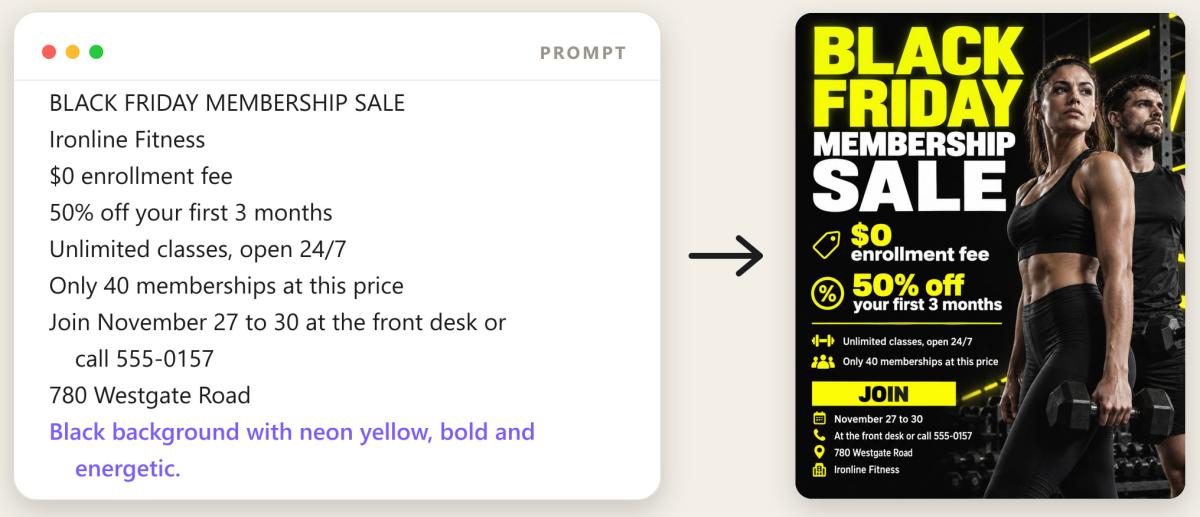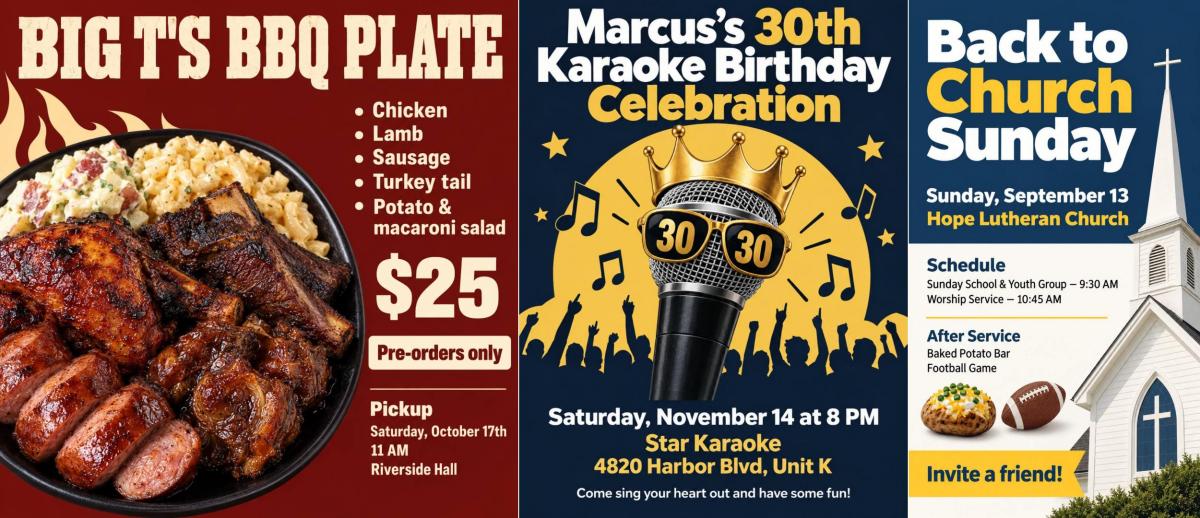

For a promotional flyer, start with 1080 x 1350 pixels at a 4:5 aspect ratio. This portrait layout gives a restaurant offer, church announcement, or class invitation room for a headline, date, location, and booking instruction. For a full-screen Story or Reel, prepare a separate 9:16 version.
The best size depends on where you will publish. A tall photo, a swipeable event program, and a video reminder each need their own layout. This guide to Instagram image sizes helps small businesses and event organizers choose a format and check the result before sharing.
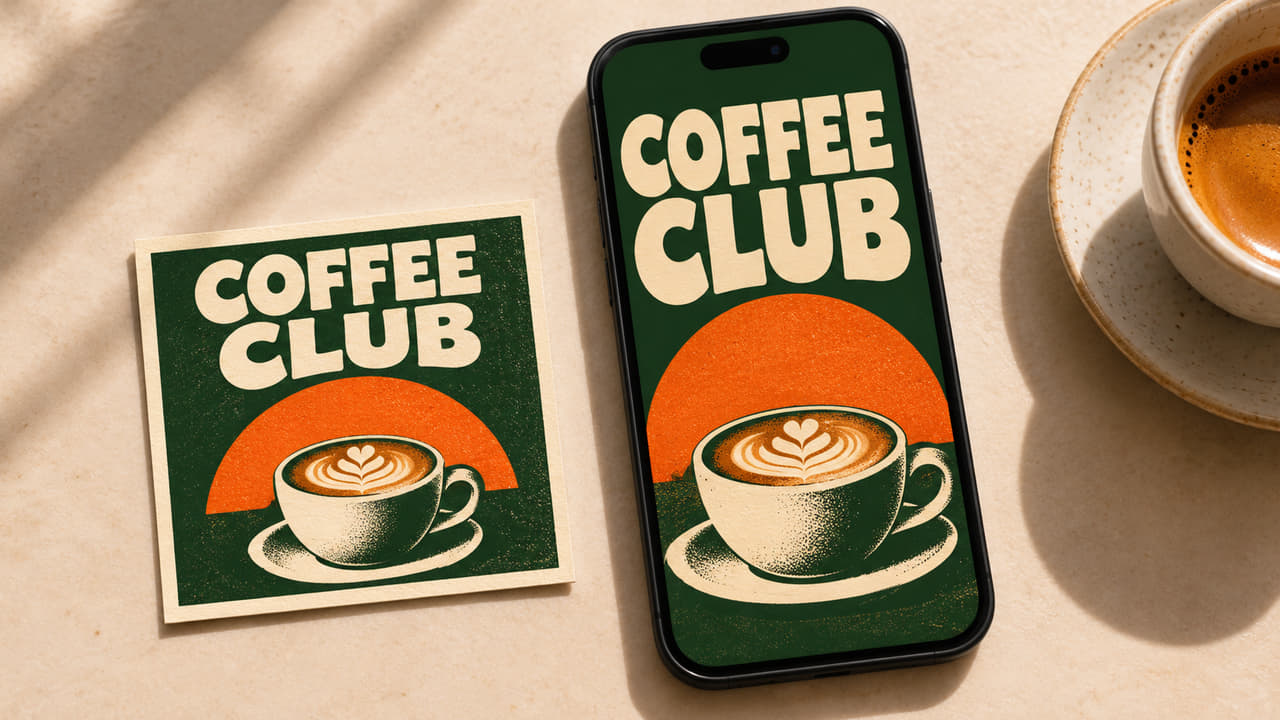
Instagram sizes guide for 2026
| Placement | Recommended dimensions | Aspect ratio | Useful for |
| Portrait feed | 1080 x 1350 pixels | 4:5 | Offers and event announcements |
| Tall feed photo | 1080 x 1440 px | 3:4 | Portrait photography and taller artwork |
| Square feed | 1080 x 1080 pixels | 1:1 | Simple announcements and product images |
| Landscape feed | 1080 x 566 pixels | About 1.91:1 | Wide photos and horizontal layouts |
| Stories | 1080 x 1920 pixels | 9:16 | Reminders and link stickers |
| Reels working canvas | 1080 x 1920 px | 9:16 | Motion flyers and short clips |
| Profile photo | 320 x 320 pixels or larger | 1:1 source | Logo or recognizable headshot |
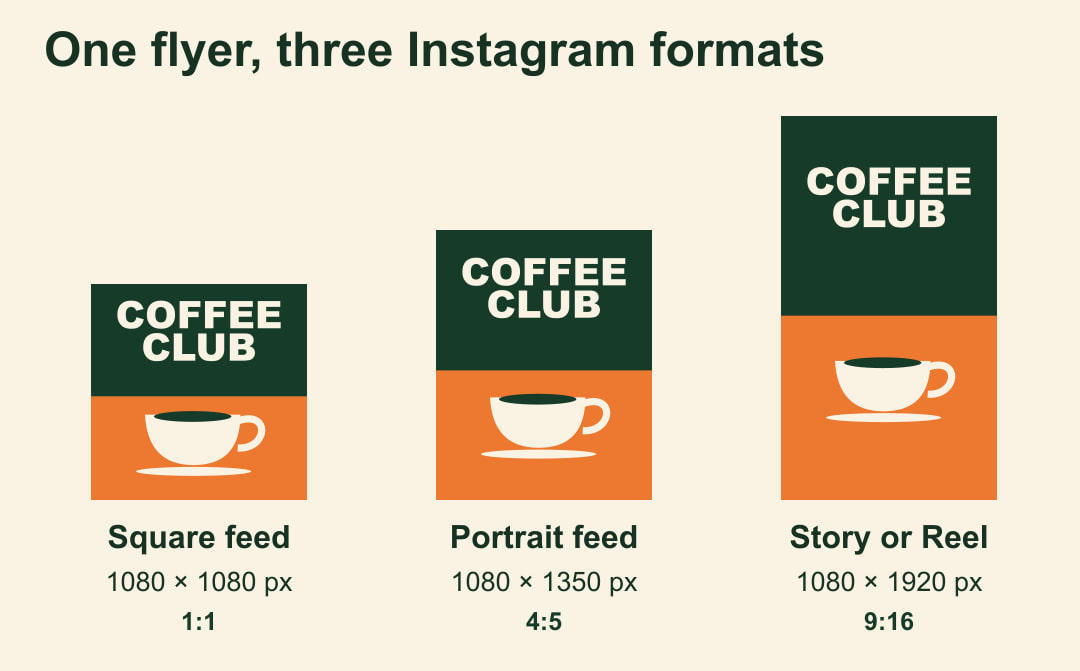
These are working dimensions for campaign assets. The profile recommendation provides a practical square source for a small circular display. Required upload limits can differ by format and publishing method.
Choose the layout before adding text. A design that fits one placement can still need a different crop in another. Preview the open post, account page, and full-screen version to confirm that the offer remains clear.
Choose an Instagram post size for your flyer
For many local promotions, 4:5 is a useful starting point for feed posts. It provides more vertical room than a square and suits a headline, one strong image, essential details, and one action. Think of it as an editorial recommendation for readable flyers.
Portrait square images and landscape layouts
A portrait Instagram post works well for a weekly menu special, Sunday service, or workshop. Set the event or offer name first, followed by date, venue, and response details. Move a long schedule into the caption or a sequence of slides.
Use square images for a concise announcement or a visual that already has balanced proportions. Landscape artwork can suit a wide venue photograph, but leaves less height for promotional text on a phone. Keep the message short and check it at normal viewing scale.
For Instagram photos, 3:4 is also a supported portrait shape. At 1080 pixels wide, that gives a 1440-pixel height. Buffer’s current publishing guidance includes 3:4 in its accepted image range. Confirm support in the app or scheduling tool you actually use.
Adapt a printed flyer before posting
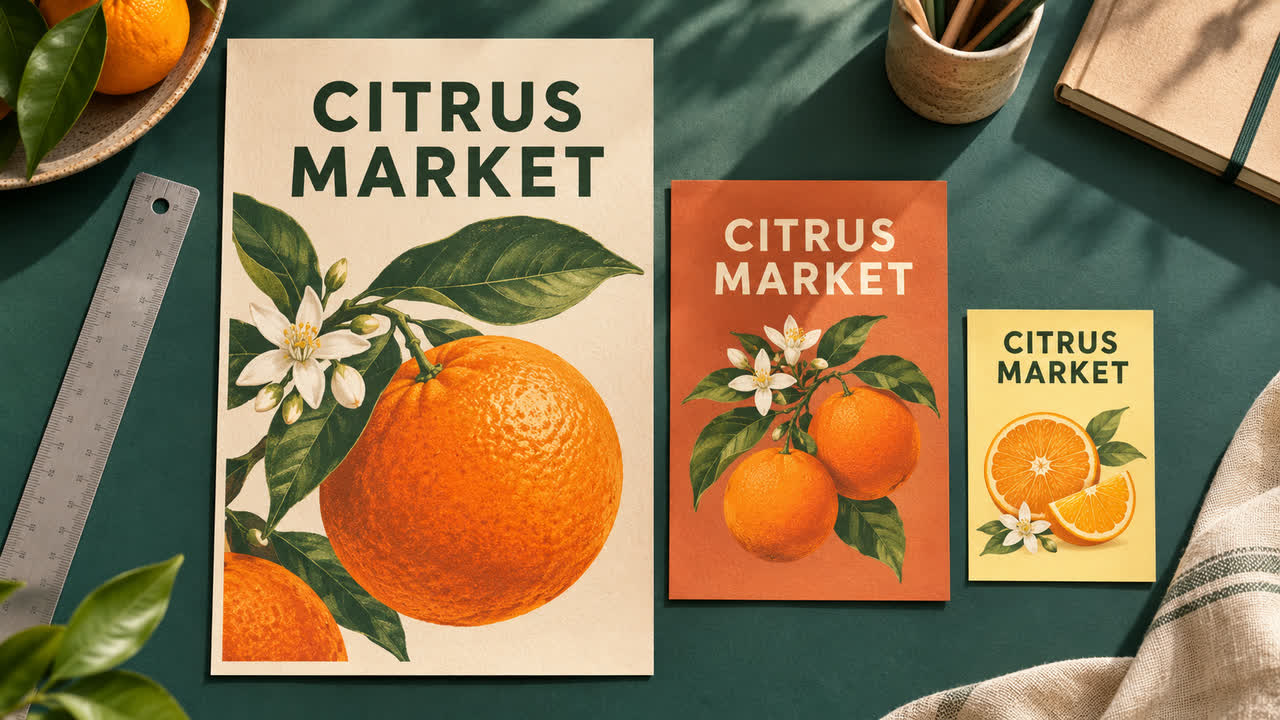
A 5 by 7 inch handout has a different shape from these social formats. Rearrange the design around the screen placement. Keep the campaign’s wording, colors, and photos consistent while giving the headline and date enough room to read.
Check the Instagram grid before publishing
The profile grid uses portrait previews that can show a different view from the opened post. A 4:5 graphic placed in a centered 3:4 preview can lose content at the left and right edges. Keep names, faces, prices, and booking instructions comfortably inside the artwork.
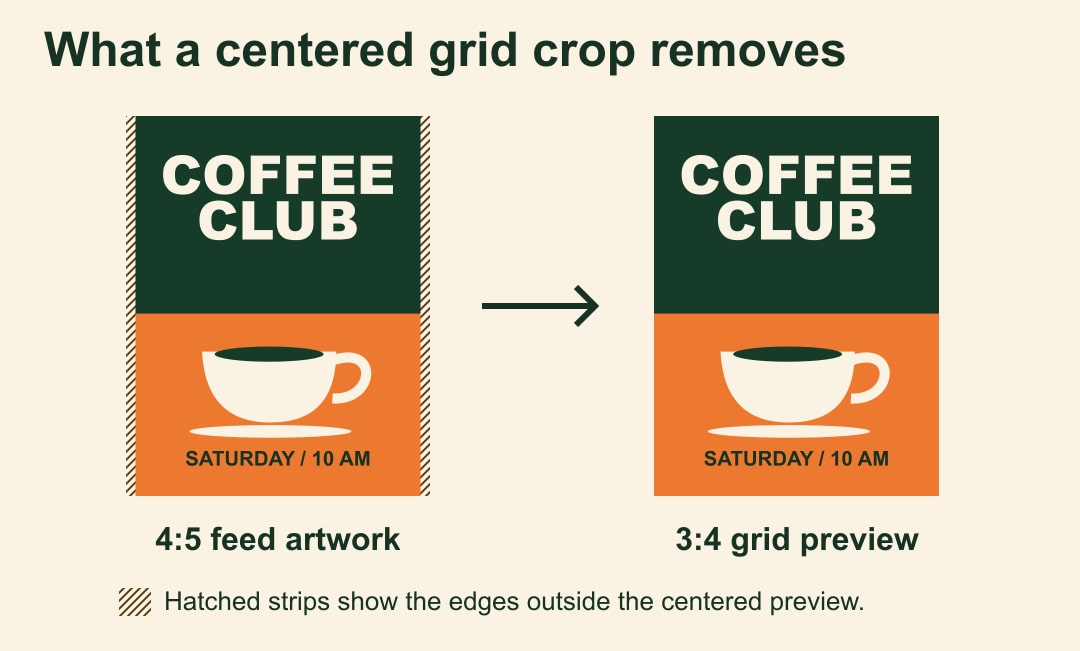
When you upload an image, check the preview controls available in your account. Crop your photo deliberately and inspect the result on a phone. Avoid placing the only readable event date along an outer edge or splitting one announcement across a multi-post mosaic.
Using the wrong image size can cause an awkward preview, but edge placement matters too. A useful Instagram feed post should communicate the event or offer when opened and remain recognizable in a smaller thumbnail. App interfaces and preview tools can change, so check the actual account before publishing.
Instagram Reels size and Instagram Stories layouts
For a full-screen working canvas, 9:16 usually works best at 1080 x 1920 pixels. The width is 1080 and the height is 1920 pixels. This is a practical layout for a reminder, venue clip, or animated offer, with room for a short headline and clear date.
Plan your Instagram Reel message and cover photo
An Instagram Reel needs a video file. A still flyer can become part of a video in an editor, with motion or a short clip added around it. Put the offer in the opening frame so viewers understand it before reading the caption.
A cover photo helps people identify the topic before they tap. Choose a legible title and one focal image, then check the cover preview separately from playback. Keep essential text away from areas occupied by captions, account details, and action buttons.
For Instagram Stories, leave room for a link sticker or other interactive elements. Add these in the publishing app. You can post stories as reminders before a service, a lunch offer, or an enrollment deadline, using one clear action per frame.
Video size and export checks
Check the aspect ratio and actual downloaded resolution before uploading. The dimensions of a planning canvas and the resolution of an exported clip may differ. Preview the video with the interface visible to catch obscured dates or booking details.
An Instagram carousel can explain the details
Use a consistent portrait or square layout for an organic Instagram carousel. Prepare every slide at the same dimensions and check the entire sequence in the composer. This keeps headings and image positions predictable as people swipe.
| Slide | Information to include |
| 1 | Event or offer name, main image, and date |
| 2 | What visitors will get or experience |
| 3 | Venue, time, price, and essential requirements |
| 4 | Booking instruction and contact method |
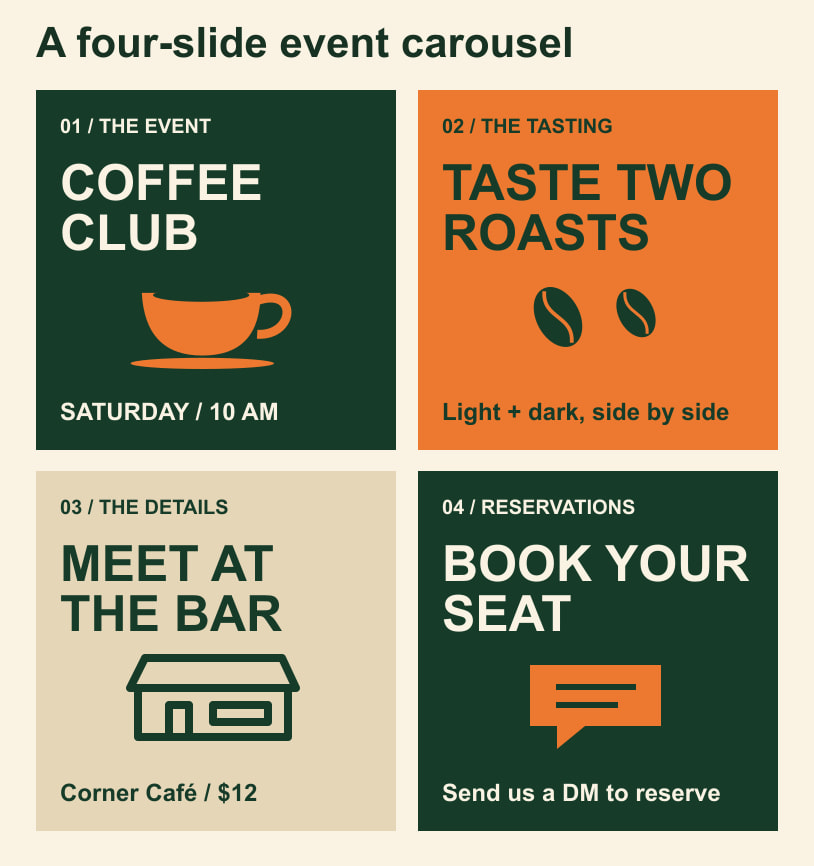
The first card should communicate the announcement on its own. Give each later carousel slide one job. A church conference can introduce the speaker, program, and registration steps. A restaurant can show the main offer, menu choices, and ordering instructions.
Instagram ad sizes depend on the placement
Prepare separate feed and full-screen assets when running a paid campaign. Treat the ratios in this article as planning formats, then use Ads Manager to check the recommended size for each selected placement and objective. The requirements for a single image, a carousel, and a video can differ.
Inspect every placement preview after uploading. Confirm that the offer, date, logo, and response method remain visible. Check Facebook image sizes separately if the same campaign runs on both platforms. Reframing a creative for another placement may change its composition.
Instagram profile picture and profile photo checks
Use a clear logo or headshot with space around the main subject. The uploaded square is displayed as a circle, so keep important parts away from the corners. A profile photo supports recognition while the promotional artwork carries the event details.
Treat the dimensions in the table as a practical source recommendation. A platform’s minimum size is an acceptance threshold. Start from an original file with enough detail to remain clear in the circular preview and test it on the account.
Create a readable flyer with AI Flyer Studio
AI Flyer Studio lets you choose print and social formats before generating a design from your announcement. Add the offer, date, time, venue, and response details, plus your logo or photos if needed. Download the image as PNG and review the actual output dimensions.
For a restaurant, use a dish photo with the price and ordering time. For a church event, prioritize the speaker, service time, and location. For a class, make the start date and enrollment method easy to find. The Animated Flyer option also produces an MP4 clip. Check its resolution separately from the still image.
Keep a reusable template for recurring campaigns
A simple template helps you update next week’s offer or speaker while keeping the same brand cues. Canva is one design tool for manual layout work. In AI Flyer Studio, you can upload an existing flyer and describe the update you need. Review the result before sharing.
A perfect Instagram flyer is useful only if the intended audience can read and act on it. Confirm the headline, date, price, venue, and contact details. Test the destination link and view the artwork on a phone.
Common questions about Instagram image sizes
What is the best image size for a promotional post
An image that is 1080 pixels wide with a 4:5 aspect ratio is a practical starting point for a text-led flyer. A taller 3:4 layout can suit portrait imagery. Use the right sizes for the placements you intend to publish and preview the result.
How do I check pixel dimensions before uploading
Open the downloaded file’s image properties and compare its width and height with the intended format. Check the pixel size and match the exact size when exporting a custom layout. Changing a resolution setting alone cannot restore missing photo detail.
Does the same file work for all placements
Prepare an image and video version where the campaign needs both. An Instagram video reminder needs a video export, while a feed announcement can use a still. A consistent headline and color palette help connect the versions.
What file size should I export
Limits depend on the upload route and format. Buffer documents an 8 MB image limit for its API publishing workflow. Check your chosen publisher’s current requirements and supported formats before export. A larger file alone cannot make small lettering more legible.
How should I use social media image sizes across platforms
Use this guide for the placements covered here, then verify the destination requirements for other channels. The ideal Instagram layout gives one message enough room while keeping text clear of controls. Test photos and videos after any automatic crop or resize.