Animated Club Flyer
The DJ lineup, the date, entry prices, the age limit, and table bookings, with neon lights that glow. For club nights, DJ sets, and parties you promote on Stories.
Catch the eye in Stories, Reels, and WhatsApp Status. Create an animated flyer from a few lines: switch on Animated Flyer for a 5-second loop.

No animated flyer template, Canva, or After Effects needed. The AI animated flyer generator designs the flyer and brings it to life in one go.
Write a few lines or paste the details you already have: the event, date, time, place, prices, and how to book. Mention who or what is in the picture, like a DJ, a dog, or a glowing tree, since people, pets, and lights are what move.
Optional: upload a photo of the person, place, or product you want to feature, plus your logo. You can also upload last week's flyer and say what to change.
Switch on Animated Flyer, pick 9:16 for Stories, Reels, and WhatsApp Status, and generate. You get the flyer image and a 5-second MP4 video to download.
An animated flyer maker that designs the flyer first, then adds gentle motion that draws the eye without getting in the way of your words.
Describe your event or paste the details. You get a finished flyer and a 5-second video of it, with every name, date, and price kept as you wrote it.
Upload a photo of a person, a pet, or your place, and your logo. They become part of the design, and the people and pets in it move gently in the video.
The camera stays still. People and pets blink or tilt their heads and lights glow softly, while the words and numbers are printed into the design and are not animated.
The last frame returns to the first, so the video loops cleanly in a Story, on WhatsApp Status, or on the screen by your counter.
Pick 9:16 for Instagram Stories, Reels, TikTok, and WhatsApp Status, or 4:5 and square for feed posts. Print sizes still give you a 300 DPI flyer to print.
Videos are silent by default, so they play anywhere without surprises. If you like, include auto-generated sound with the video.
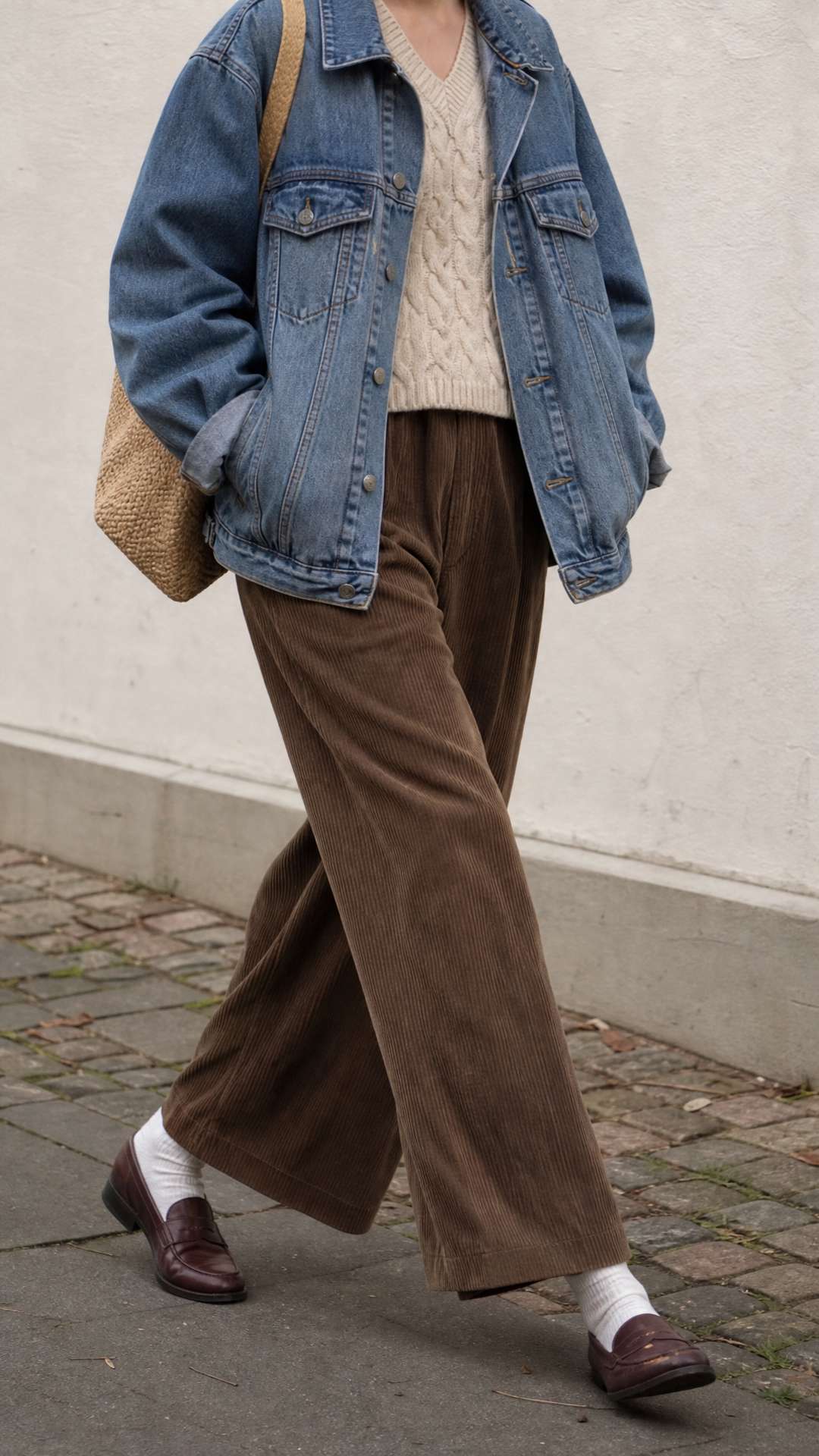
Animated flyers made from a street-style photo, pasted event details, and a one-line edit.
Upload a photo and describe the event. The photo becomes the center of the design, and in the video the scene moves gently while the date, hours, and location stay put.
Pasted event details
Neon Nights at Club Volt — Friday, November 13, 10 PM till late. DJ Marco Reyes and MC Tasha on the decks, ladies free before 11, $15 entry after. 21+ with ID, 412 Ocean Drive. A big silver disco ball over a dark dance floor with purple and pink neon lights. Table bookings: 555-0137.
Paste the details the way you would text them to a friend. The DJs, entry rules, age limit, and booking number are laid out in clear sections, and the neon lights glow in the video.
Edit request
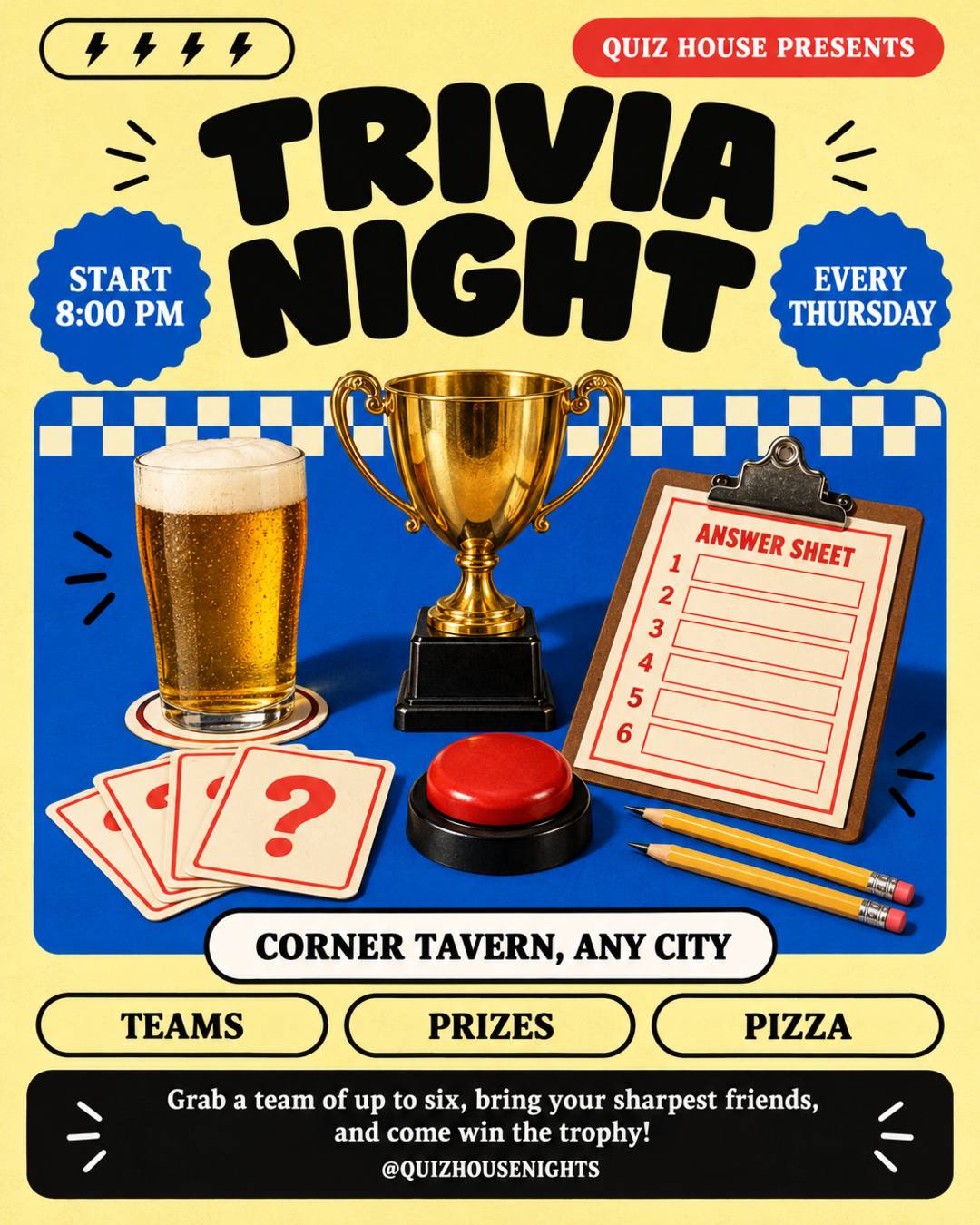
Change the start time to 7:30 PM and add "HOLIDAY EDITION" above TRIVIA NIGHT. Keep everything else the same.
Weekly events need a fresh flyer every week. Upload the one you already posted, say what changed, and turn on Animated Flyer. The flyer is redrawn as close to the original as possible, then animated.
For a video flyer, pick 9:16 for Stories, Reels, TikTok, and WhatsApp Status, or 4:5 for feed posts. Print sizes work too: you get a flyer to print, and the video is for screens.
Generated at 300 DPI with 0.125 in (3 mm) bleed on every side. Pixel sizes include the bleed.
Feed, Story, square, landscape, and Pinterest formats. The 9:16 Story size also fits WhatsApp Status.
US Letter (8.5 x 11 in) is the standard flyer size in the US, and A4 is standard almost everywhere else. Need another size? Set a custom size in the generator.
Pick the example closest to your event. Each motion flyer was made from the prompt behind it: use it and change the details to yours.
The DJ lineup, the date, entry prices, the age limit, and table bookings, with neon lights that glow. For club nights, DJ sets, and parties you promote on Stories.
The date, what's planned, and when to RSVP, with string lights glowing in a cozy scene. For family parties, office parties, and holiday get-togethers.
The date, the start time, and what to bring, with jack-o'-lanterns glowing under a full moon. For house parties, costume parties, and trunk or treats.
The event name, the dates, the races or matches, the venue, and how to sign up. For swim meets, tournaments, league games, and race days.
The opening date, the address, and an opening-week offer. Post it on Stories or loop it on the screen by your counter. For cafés, coffee bars, and restaurants.
The night, the start time, the venue, and what's in it for teams. For pub quizzes, game nights, and other weekly bar events.
The date, the hours, the location, and what people will find, with your own photo in the design. For pop-up shops, markets, and swap meets.
What you offer, why people should call, and your phone number in big type. For local services like dog walking, cleaning, and tutoring.
Names, addresses, and phone numbers in these examples are fictional. Turn on Animated Flyer before you click Generate to get the video too.
An AI animated flyer creator starts from your event details, not a fixed layout or a design brief. Here is how it compares with the usual ways to get a motion flyer.
| Animated Templates (Canva, Etsy) | Motion Designer (Fiverr) | AI Animated Flyer Generator | |
|---|---|---|---|
| Where you start | Pick an animated template, then replace every text box | Send a brief with your details, then wait for a draft | Describe your event or paste the details you have |
| What moves | Text and shapes slide, fade, or bounce in | Anything you ask for, including text effects and camera moves | People, pets, and lights in the picture move gently |
| Your text | Editable text that you control | As you briefed it, with revisions | Not animated, with names, dates, and prices kept as written |
| Length and sound | Any length, with a music library | Any length, with your own music | A 5-second loop, silent or with auto-generated sound |
| Cost and time | About $5 to $9 per template, and some effects need Canva Pro | Usually $10 to $30 to start, more for custom work, with 1 to 7 days for delivery | 4 credits, made in one generation |
| Best for | Longer videos with control over every element | Big launches and custom animation | Weekly events and quick promos for Stories and Status |
New users get free credits when they sign up, enough to try one regular flyer. An animated flyer uses 4 credits in total, 2 for the image and 2 for the video, so you need a credit pack or a plan to make one. Including sound doesn't cost extra, and if only the video fails, you keep the image and the 2 video credits are returned automatically. Flyers and videos made with purchased credits or a plan have no watermark.
Describe your event in the box at the top of this page or paste the details, add photos or your logo if you have them, turn on Animated Flyer, and click Generate. This animated flyer maker designs the flyer first, then turns that design into a 5-second looping video. You don't need Canva, CapCut, After Effects, or any editing skills, and it works on your phone too.
A motion flyer, also called an animated flyer, video flyer, motion poster, or animated poster, is a flyer with movement in it, made to post as a video on Instagram Stories, Reels, TikTok, or WhatsApp Status. Here the motion is subtle: people and pets blink or sway and lights glow, while the event details stay still and easy to read.
That's what the motion is designed for. The camera never moves, and only small things in the picture move, such as a blink, a head tilt, or glowing lights. The words and numbers are part of the flyer image and are not animated, and names, dates, times, and prices are kept as you wrote them. Because the lettering is drawn into the image, a letter can occasionally come out wrong, so check the flyer before you post it.
Not exactly as it is. Upload your flyer, write what to change, such as the date, and turn on Animated Flyer. The flyer is redrawn as close to the original as possible and then animated, so small details may differ from your file. This works well for weekly events: change the date in one sentence and you have this week's animated flyer.
No. The motion is chosen for you so the text stays put: the camera stays still, and people, pets, and lights move a little. Your prompt describes the flyer itself. If you want something to move, put it in the picture, such as a DJ, a dog, candles, or string lights.
Use 9:16 (1080 × 1920) for Instagram Stories, Reels, TikTok, and WhatsApp Status, and 4:5 (1080 × 1350) for Instagram and Facebook feed posts. The video takes the shape of the flyer, so pick the size before you generate. At 5 seconds, it fits easily within a WhatsApp Status. You can also pick a print size: you get a 300 DPI flyer to print, and the video is for screens.
You get a flyer image (PNG) and a 768p MP4 video, which you can download separately or together. There's no GIF download. MP4 is what Instagram, TikTok, Facebook, and WhatsApp take, and it plays on most TVs and shop screens. For email, use the flyer image, since most email apps don't play video.
Videos are silent by default. Before you generate, you can turn on the sound option to include auto-generated sound with the video. You can't upload your own song, but Instagram, TikTok, and WhatsApp let you add music when you post a Story or Status.
Yes. Write your prompt in Spanish, Portuguese, French, or another language, and the text on the flyer stays in that language, so "Noche de Damas" stays "Noche de Damas". Nothing is translated unless you ask. Languages written in the Latin alphabet give the most reliable lettering.
Describe your event and the AI animated flyer generator gives you a flyer and a 5-second looping video, ready for Stories, Reels, and WhatsApp Status.
Sunday services, revivals, anniversaries, and youth programs, with your pastor's photo.
Birthdays, house parties, themed nights, and club events.
House parties, trunk or treats, costume contests, and haunted houses.
Dinner invitations, Friendsgiving, food drives, and church thanksgiving services.
Store sales, salon deals, gift card promos, and Small Business Saturday.
Christmas Eve services, parties, toy drives, and Christmas markets.
Menus, grand openings, daily specials, and catering, with photos of your real food.
Flyers for any event or small business, in any language.
Catch the eye in Stories, Reels, and WhatsApp Status. Create an animated flyer from a few lines: switch on Animated Flyer for a 5-second loop.