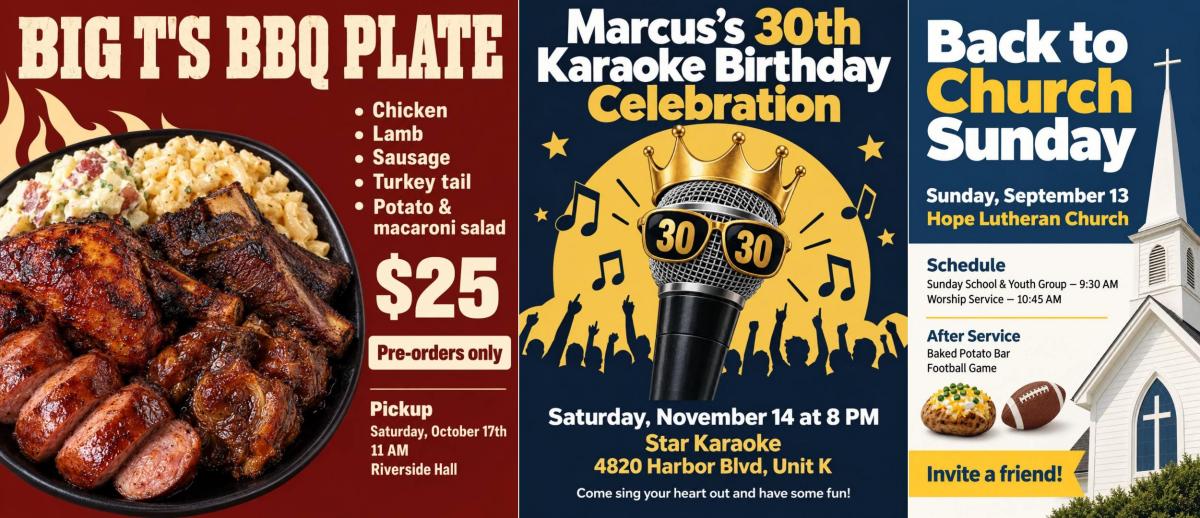
To write a good prompt for an AI flyer generator, give it the exact words you want on the flyer, in the order people should read them: the headline, what's happening, the date, time and place, the price or offer, and how to respond. Then add one line about the look: a mood, two or three colors and one or two things to picture. If you upload a logo or photo, say what it's for. That's the whole method. Most disappointing AI flyers come from prompts that describe the flyer ("a modern, eye-catching flyer for my sale") instead of giving it something to say.
This guide covers the seven things every flyer prompt needs, a formula you can reuse, and 19 real prompts with the flyers they produced in AI Flyer Studio, from a nail salon's Black Friday deal to a church revival. Copy any of them and swap in your own details. (Names, phone numbers and addresses in the examples are made up.)
Why Some Prompts Produce Poor Results
When an AI flyer disappoints, the prompt usually has one of four problems:
- It describes the flyer instead of giving the content. "An eye-catching flyer for my pet grooming business" says what kind of flyer you want, but not your prices, your service area or your phone number. The AI can't know them. AI Flyer Studio leaves out anything you didn't provide. Some tools fill the gaps with made-up details instead, which is worse.
- It uses the adjectives everyone uses. "Modern", "professional" and "eye-catching" are in almost every prompt, so they get the default look: dark background, glowing text, rows of icons and check marks. It's common enough that 404 Media called it a ChatGPT flyer pandemic.
- It has too much text. Every extra line makes the rest smaller and adds one more chance for a spelling mistake.
- It borrows habits from AI art. Words like "8K", "ultra-detailed" and "masterpiece" are meant for artwork. They don't make a flyer any clearer. Spend those words on your content.
Length isn't the problem. One of the best flyers in this guide came from a 24-word prompt for a 7-year-old's birthday party, because those 24 words had everything a guest needs to know.
The 7 Elements of a Good Flyer Prompt
| Element | Example | Leave it out and... |
|---|---|---|
| 1. What it is | Black Friday deal for a nail salon | The AI has to guess the occasion and tone |
| 2. Headline | "Black Friday Nail Deals" | The AI writes one for you |
| 3. Key details | Fri Nov 27 to Sun Nov 29, gel manicure $25 | They're missing, or made up by some tools |
| 4. Call to action and contact | $10 deposit to book through Instagram @nailsbynia | People like the flyer but don't know what to do next |
| 5. Audience | For kids, nothing scary | The tone can miss the people you want to reach |
| 6. Style | Pink and gold glitter on black | You get the generic default look |
| 7. Your images | Put our logo at the top and don't change it | Photos and logos get used the wrong way |
A few rules for the words themselves:
- Write the exact text you want printed. If the wording has to be exact, put it in quotes: headline "Sunday Funday".
- List details in reading order, most important first.
- One fact per line or sentence. Short lines are easier for the AI to lay out and easier for you to proofread.
- Check names and numbers before you generate. They're printed exactly as you type them, so a typo in the prompt becomes a typo on the flyer.
What AI Flyer Studio does with your prompt. Before it generates anything, it reads your prompt the way a designer reads a client's brief:
- It separates what goes on the flyer from instructions for the design. Colors, styles, notes like "make the price big" and labels like "Headline:" or "Date:" aren't printed.
- It keeps names, dates, prices, phone numbers and addresses exactly as you wrote them, and never adds facts you didn't give.
- Text in quotes is printed word for word. Longer descriptive sentences may be shortened to fit a flyer. To keep all of your wording, add "Use the exact wording below."
- If you don't include a headline, it writes a short one from your request.
- The flyer comes out in the language you wrote in.
So you can paste a social media post, a menu or an event program as it is, up to 3,000 characters.
A Reusable Prompt Formula
[Headline]
[One line on what it is, or why someone should care]
[Date and time]
[Place]
[Offer, prices or what's included, one per line]
[Call to action and contact: how to book, RSVP or buy, and by when]
Style: [mood], [2 to 3 colors], [1 to 3 things to picture]. Avoid: [anything you don't want].
Images: [what each upload is and what to do with it]
Leave out any line that doesn't apply. Pick the size in the size menu, not in the prompt: AI Flyer Studio builds the layout for the size you select and ignores sizes typed into the prompt. (In general tools like ChatGPT, do the opposite and state the shape first: "A vertical 4:5 flyer...")
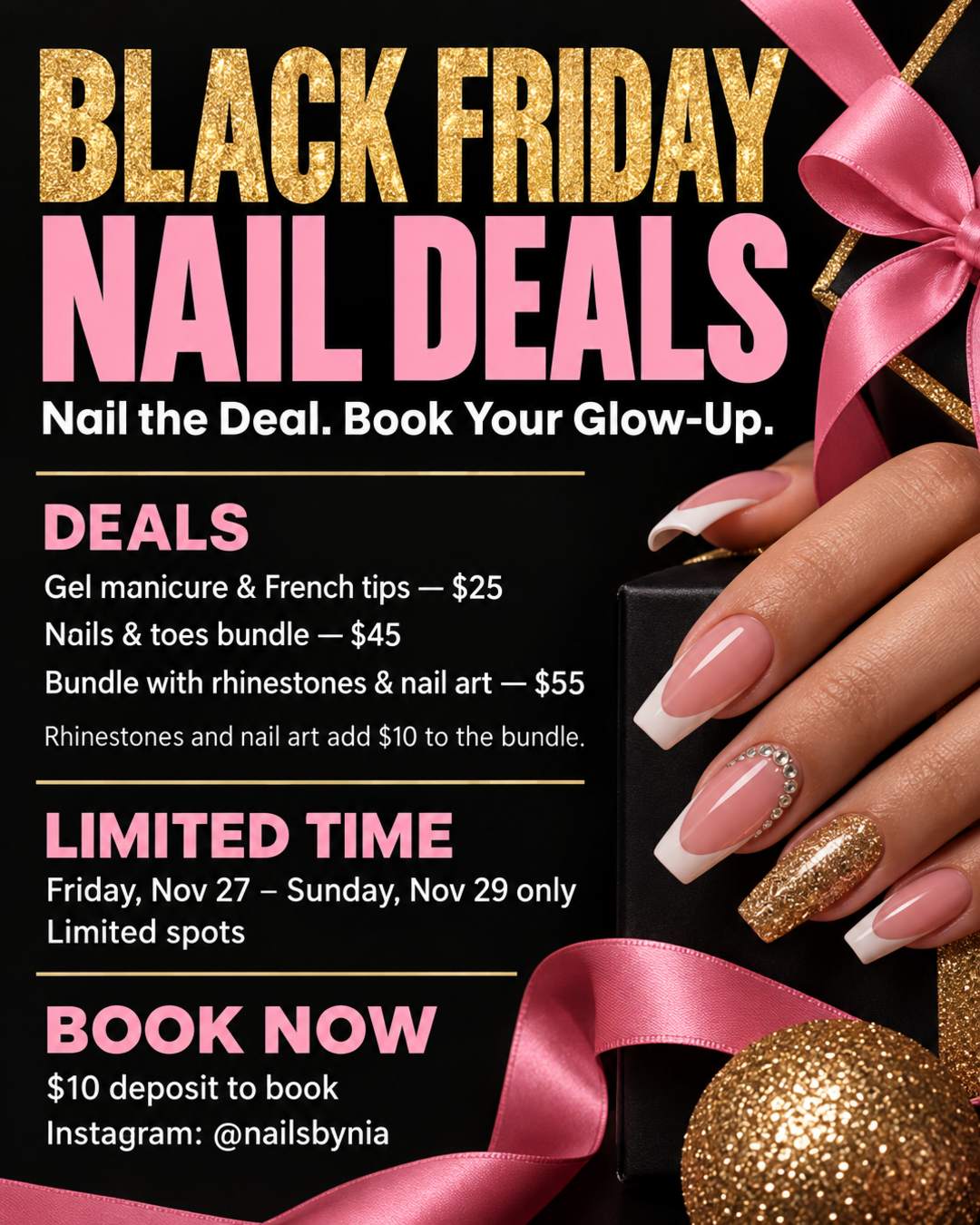
You don't have to be formal about it. Both prompts below follow the formula. One is a tidy list, the other reads like a text message to a designer. Both work because they contain the same things: every fact, one clear action and a color direction.
| Line by line | Like a text message |
|---|---|
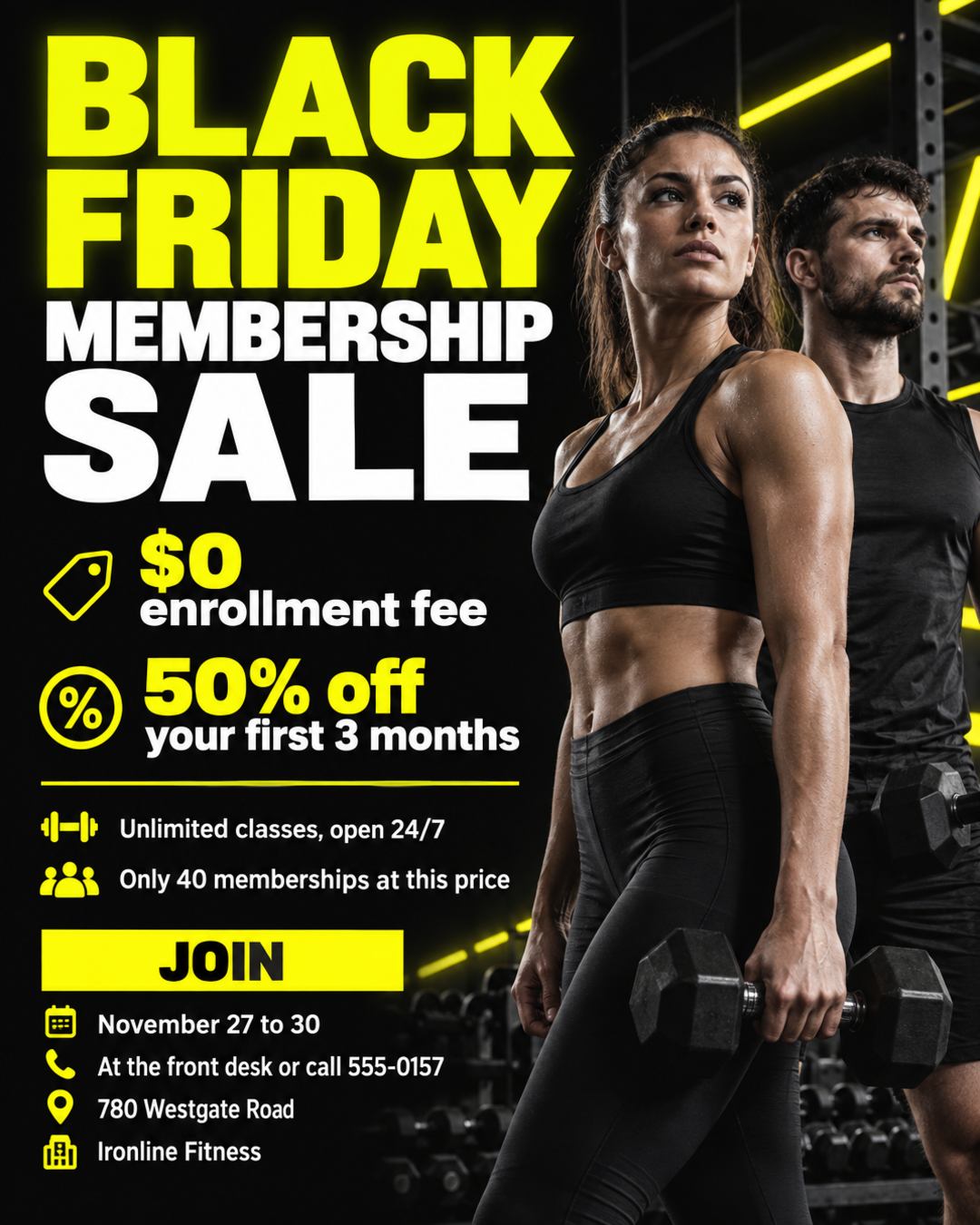 |  |
Line by line (gym membership sale, 4:5):
BLACK FRIDAY MEMBERSHIP SALE
Ironline Fitness
$0 enrollment fee
50% off your first 3 months
Unlimited classes, open 24/7
Only 40 memberships at this price
Join November 27 to 30 at the front desk or call 555-0157
780 Westgate Road
Black background with neon yellow, bold and energetic.
Like a text message (nail salon deal, 4:5):
i am doing a black friday deal for nails. gel manicure and french tips are $25. nails and toes bundle will be $45. rhinestones and nail art bump the bundle up by $10 ($55). friday nov 27 to sunday nov 29 only, limited spots, $10 deposit to book. make a deal poster about everything that i just told you. brief statements. make a slogan that'll catch the clients eyes and want to book me. book through instagram @nailsbynia. make the color scheme pink and gold glitter on black.
Two details worth copying. The gym prompt's "Only 40 memberships at this price" gives people a reason to act now. The salon prompt asked the AI to "make a slogan", and it came up with "Nail the Deal. Book Your Glow-Up." That's fine when you're happy to let the AI write. When the wording matters, write it yourself and put it in quotes.
Before and After: Same Flyer, Better Prompt
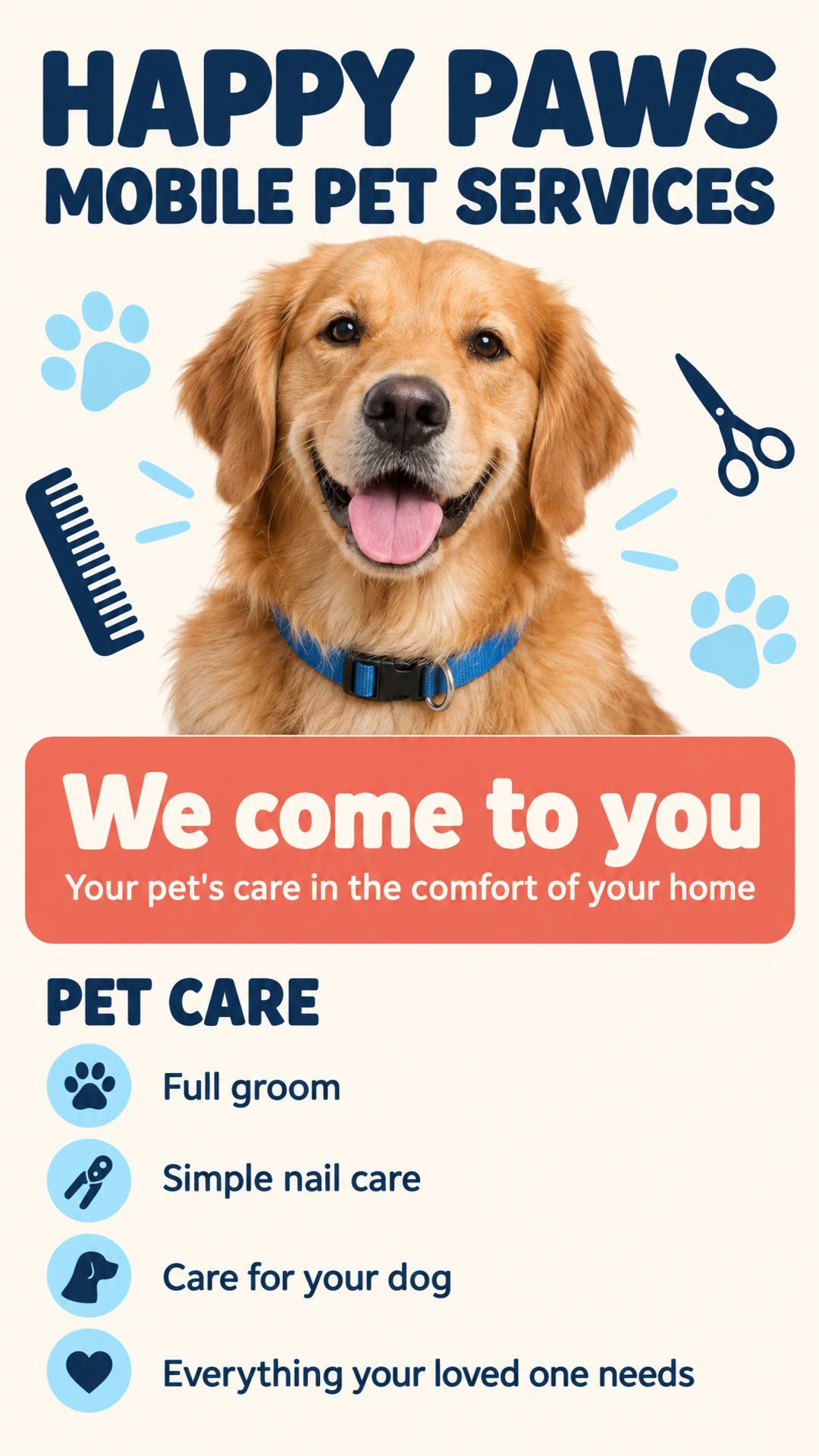
The prompt on the left reads like a lot of real ones: friendly, but missing prices, the area served and any way to book. With only one sentence of description to work from, the AI padded it into a list with lines like "Care for your dog" and "Everything your loved one needs".
The prompt on the right keeps the same business and tone, and adds what a customer needs before they call. Both flyers were made in AI Flyer Studio at the same 9:16 size.
Before:
HAPPY PAWS MOBILE PET SERVICES. We come to you... your pet's care in the comfort of your home. We offer everything your loved one needs, from a full groom to simple nail care for your dog.
After:
HAPPY PAWS MOBILE PET SERVICES
We come to you: grooming in our van, right outside your door
Full groom from $75
Bath and brush from $45
Nail trim $15
Serving Oakdale and Pine Hill, Tuesday to Saturday
Book: call or text 555-0163
Style: clean and friendly, cream background, navy and coral, one happy golden retriever.
| Before | After |
|---|---|
 | 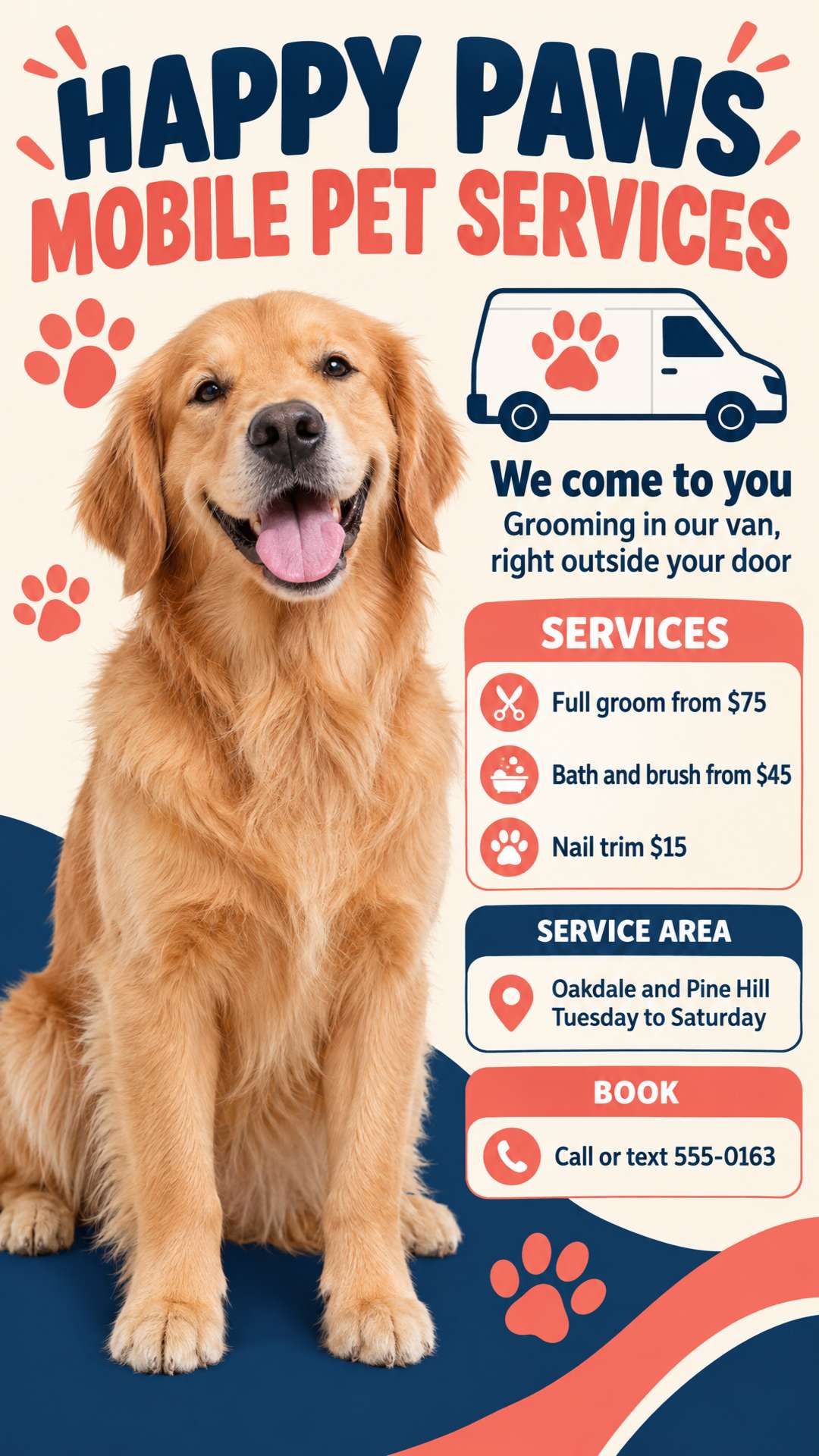 |
The better prompt isn't better written. It just answers the three questions a customer has: what does it cost, do you come to my area, and how do I book?
Describing Layout, Color, Mood and Audience
Once the facts are right, these are the lines that make a flyer look like yours instead of like everyone else's.
Layout: Say What Matters Most
You don't need design vocabulary. Tell the AI which line is the title, which comes second, and what it's free to arrange. This revival prompt does exactly that, then hands over the rest with "Do whatever you want with the rest":
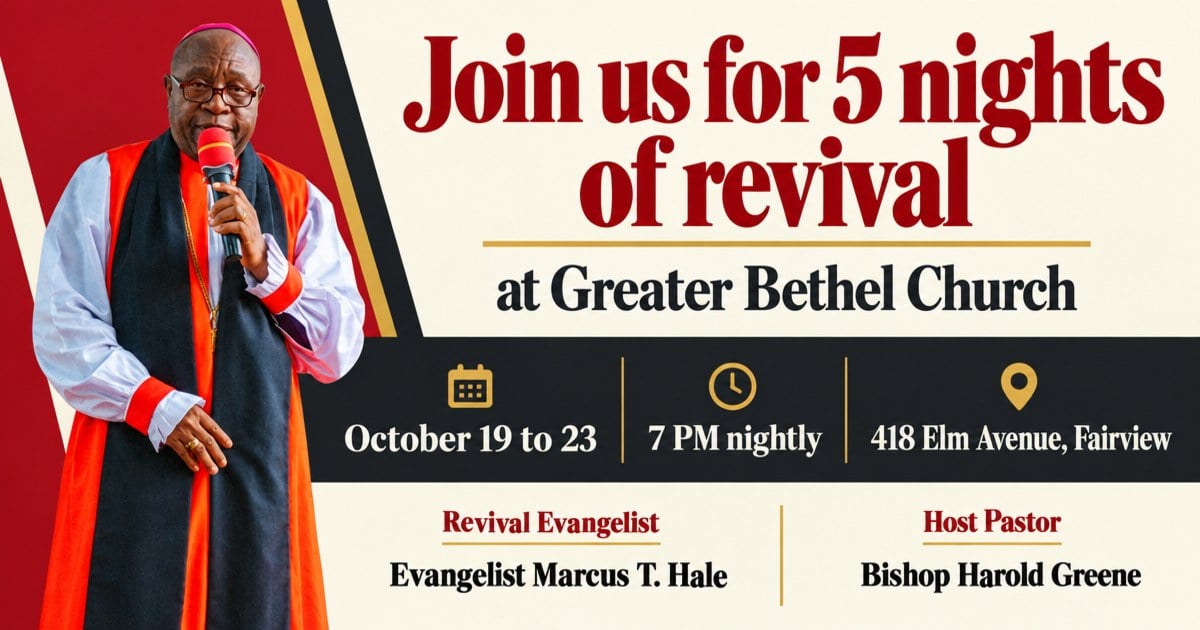
Use this photo of our evangelist and make a revival flyer. Do not change his face. Title line: Join us for 5 nights of revival. Subtitle line: at Greater Bethel Church. Do whatever you want with the rest: 418 Elm Avenue, Fairview. October 19 to 23, 7 PM nightly. Host pastor: Bishop Harold Greene. Revival evangelist: Evangelist Marcus T. Hale.
Other useful phrases: "make the price the biggest text", "put the date in a banner", "photo on the left, details on the right". Describe priorities and rough placement rather than exact positions. Image models handle "this matters most" well. They're much less reliable with "2 inches from the top".
Color: Name Two or Three, and Give Each a Job
"Black as the main color and red as the secondary color" (from the pool party template below) works far better than "colorful". How AI Flyer Studio handles color:
- If you name colors, it sticks to them, plus neutrals like white, black, gray and cream.
- If you upload a logo and don't name any colors, it takes the palette from your logo.
- It uses flat, solid color by default and only adds gradients, glow or neon when you ask for them. The gym flyer above has neon accents because its prompt says "neon yellow".
Mood and Audience: Describe What You'd See, and Who It's For
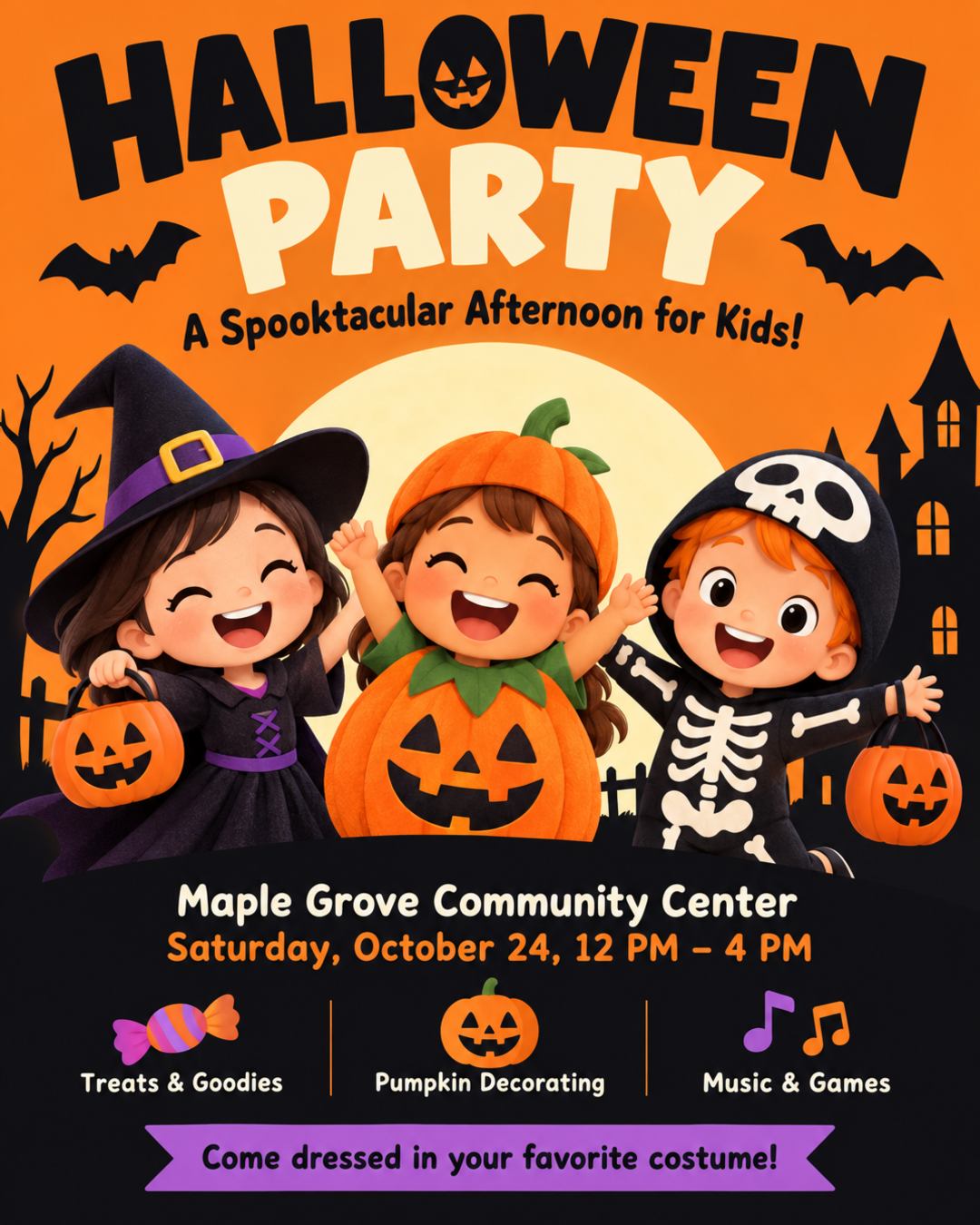
"Scary" is a mood. "An old mansion in the fog, dead trees, blood red lettering" is a picture, and the AI can draw a picture. Saying who the flyer is for matters just as much. These two Halloween flyers have similar facts and opposite style lines:
| "Dark and creepy" for adults | "Cute and colorful" for kids |
|---|---|
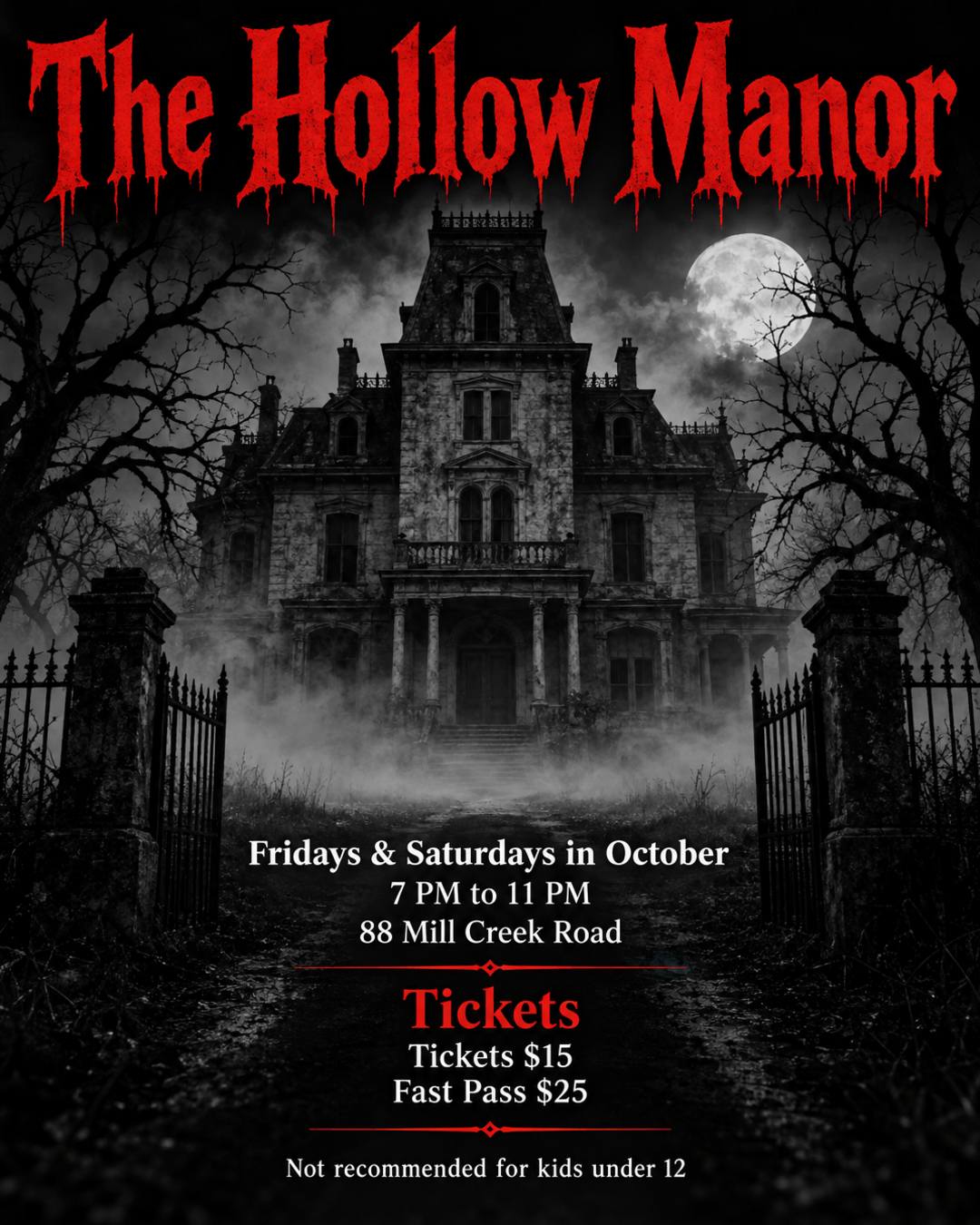 |  |
Haunted house flyer for "The Hollow Manor". Open Fridays and Saturdays in October, 7 PM to 11 PM. Tickets $15, fast pass $25. Not recommended for kids under 12. 88 Mill Creek Road. Dark and creepy: an old mansion in the fog, dead trees, blood red lettering.
🎃👻 HALLOWEEN PARTY 👻🎃
A Spooktacular Afternoon for Kids!
Maple Grove Community Center
Saturday, October 24, 12 PM - 4 PM
Come dressed in your favorite costume!
🍬 Treats & Goodies
🎨 Pumpkin Decorating
🎶 Music & Games
Cute and colorful, nothing scary.
Emoji used as bullet points aren't printed as text, so feel free to use them. The AI may turn them into small icons, as it did here.
Lettering: Describe the Style, Not the Font
Font names usually aren't followed. Describe what the letters look like instead: "bold condensed", "hand-lettered script", "chunky rounded letters", "vintage serif". You can style a single line, too. The pool party prompt asks for "Sunday Funday" in red bold letters.
Say What to Avoid, Briefly
Lead with what you want. Then add a short "avoid" list for things that keep showing up: "nothing scary", "no glow, no sparkles", "not flashy or modern-corporate". AI Flyer Studio passes anything you ask to avoid on to the image model as a clear "do not include".
Using Reference Images
You can upload up to 8 images: your logo, product photos, a picture of your venue, people, an old flyer. The generator works out what each one is, but your words decide where it goes and what has to stay exactly as it is.
Here's a product photo from a small candle shop and the flyer it became. The prompt only needed "Use my product photo". The AI kept the product as photographed and built the layout, colors and florals around it.
| Uploaded photo | Finished flyer |
|---|---|
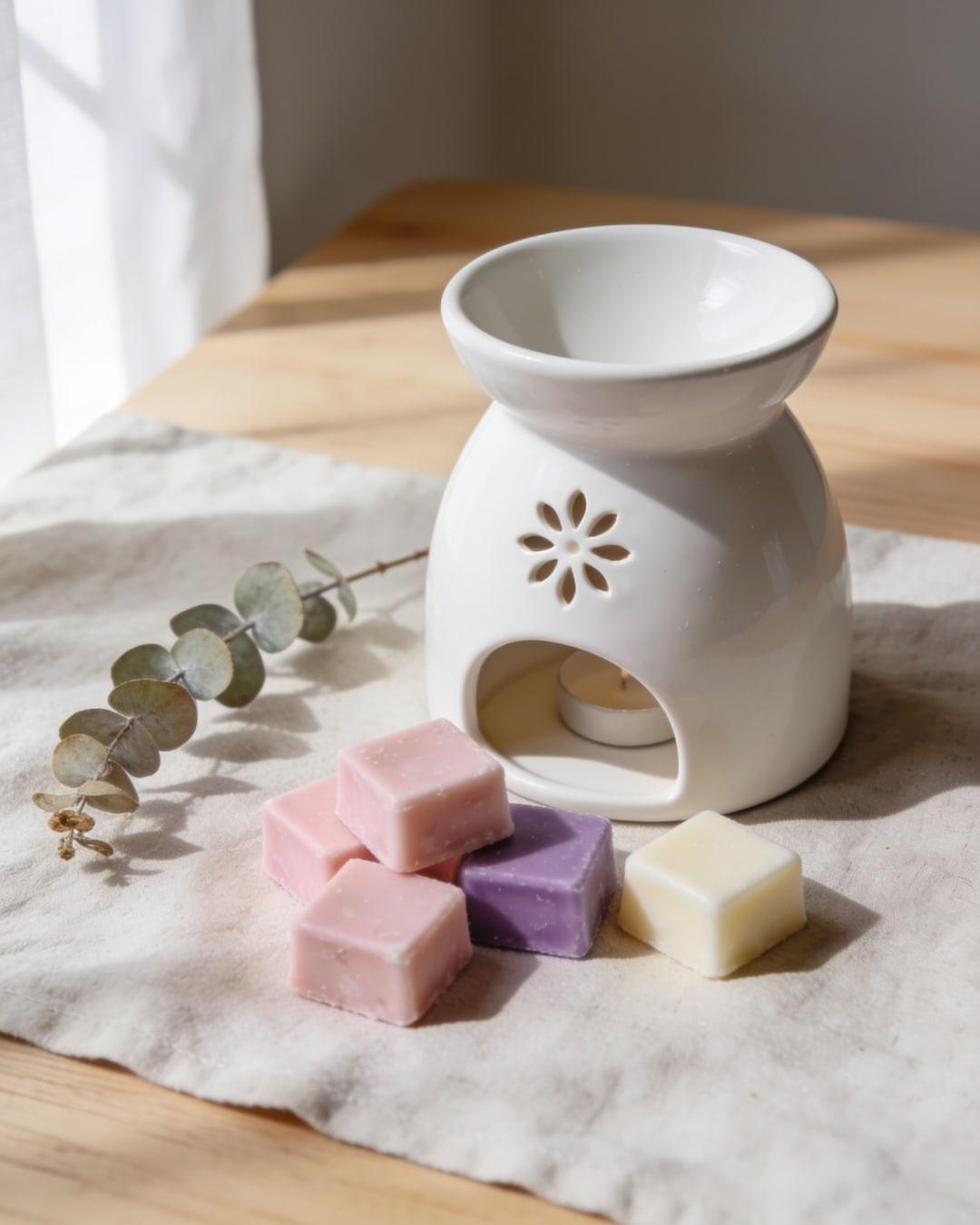 | 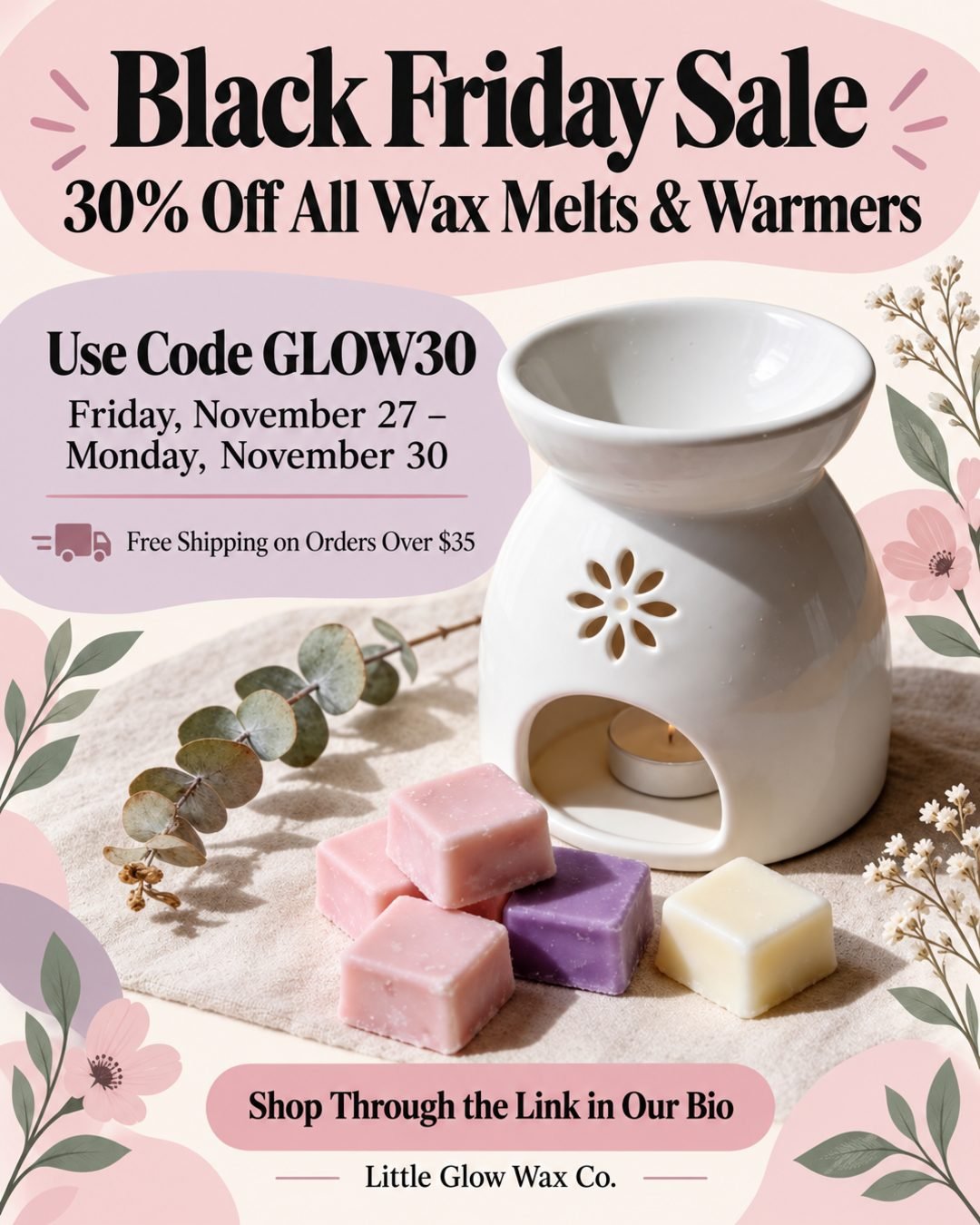 |
Create a Black Friday sale flyer for "Little Glow Wax Co." 30% off all wax melts and warmers with code GLOW30, Friday November 27 to Monday November 30. Free shipping on orders over $35. Shop through the link in our bio. Use my product photo. Use a warm and welcoming tone with soft pastel colors and floral graphics.
What to write for each kind of image:
| You upload | Write something like |
|---|---|
| Logo | "Put our logo at the top and don't change it." |
| Product photo | "Use my product photo as the main image." |
| Photo of a person | "Use this photo of our pastor. Do not change his face." Always say this: faces aren't locked unless you ask. |
| Storefront or venue | "Use the photo of our storefront." |
| An old flyer to update | "Change the date to May 9. Keep everything else the same." |
| An old flyer with details you want to reuse | "Make a new design using the details from the flyer I uploaded." Text in an uploaded image isn't copied unless you ask. |
| A design you like the look of | "Use this image only as a style reference." |
| QR code | "Put our QR code at the bottom right." Scan the finished flyer with your phone before you print it. |
If you upload more than one image, refer to them in the order you added them: "The first image is our logo, the second is our venue."
Use the sharpest photo you have. The AI can't add detail that isn't in the photo, so a small, blurry picture still looks soft on a printed flyer.
Iterating on a Result
Generate two to four versions at once, pick the closest, then change one thing at a time. Rewriting the whole prompt starts over, including the parts you liked.
To fix or update one detail, use the flyer as a reference image (in AI Flyer Studio you can pick it from your History) and describe the change in one sentence. Select the same size as the original first, because the edit comes out at whichever size is selected.
Extend the drop-off deadline to November 20 and add a line: Frozen turkeys accepted at the front office. Keep everything else the same.
| Original | After a one-sentence edit |
|---|---|
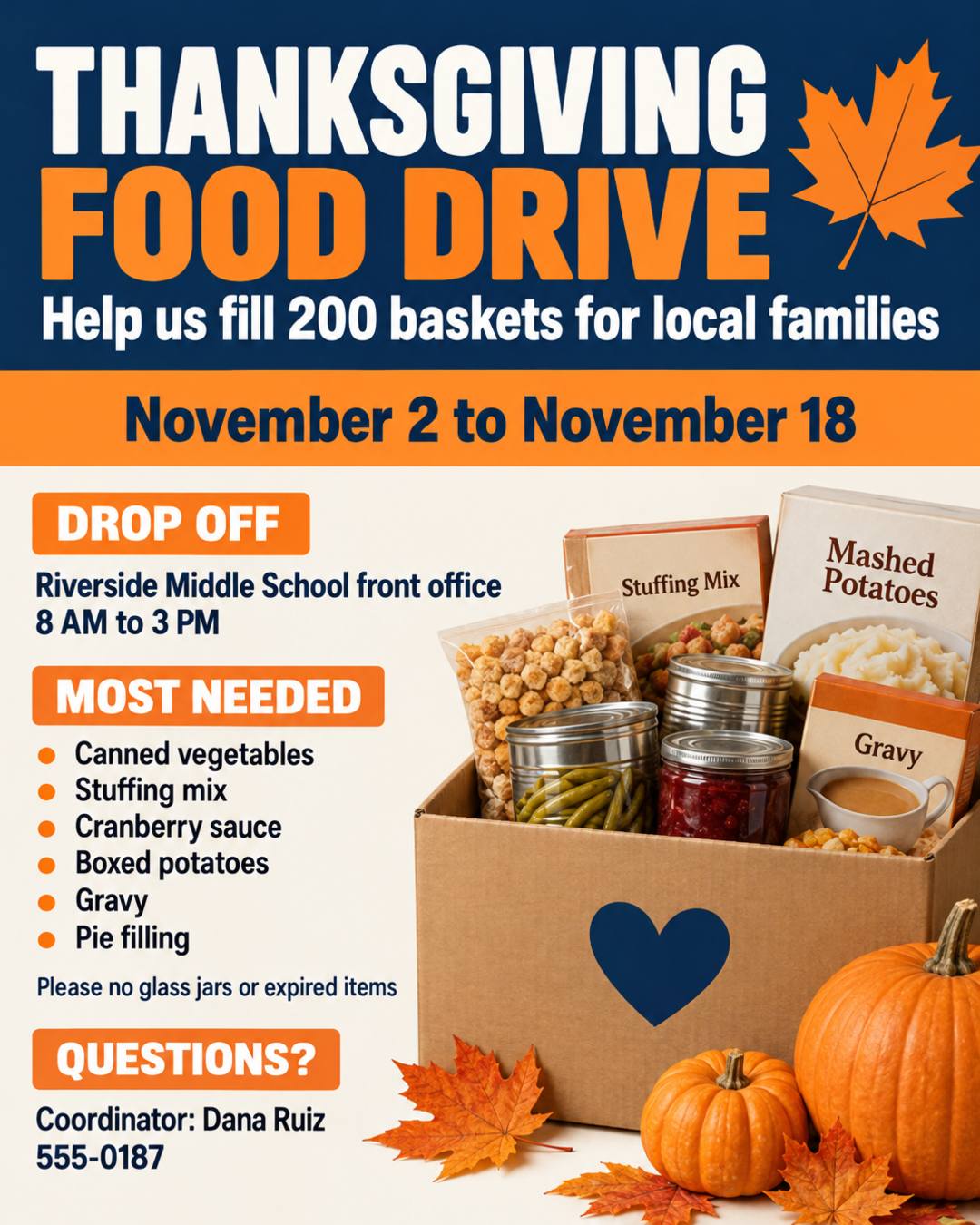 | 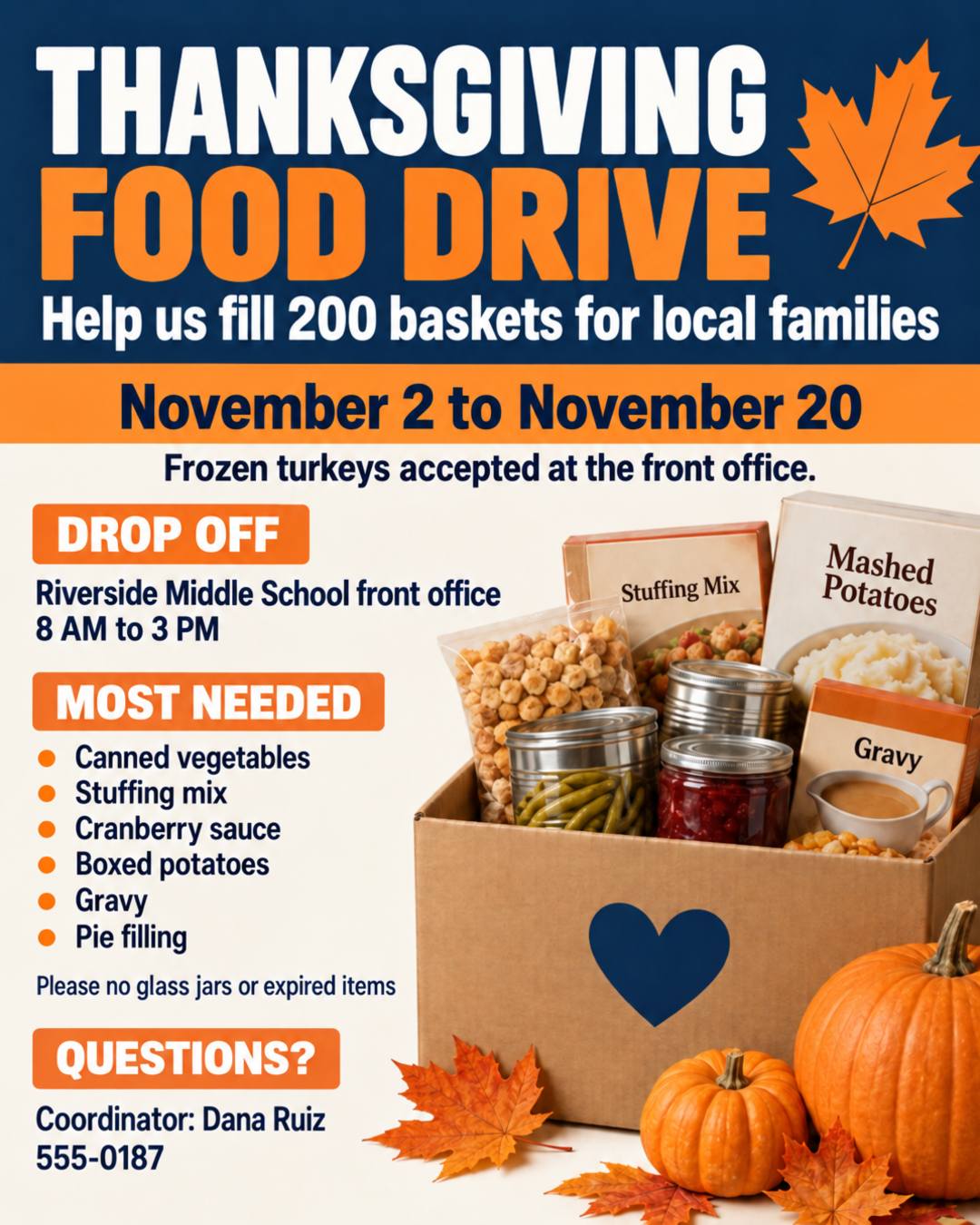 |
The date changed, the new line appeared, and the rest of the design stayed put. It's still a new image, so proofread the whole flyer again. The original prompt makes a good template for any collection drive:
THANKSGIVING FOOD DRIVE
Help us fill 200 baskets for local families
November 2 to November 18
Drop off at the Riverside Middle School front office, 8 AM to 3 PM
Most needed: canned vegetables, stuffing mix, cranberry sauce, boxed potatoes, gravy, pie filling
Please no glass jars or expired items
Questions? Coordinator: Dana Ruiz, 555-0187
Bright and friendly, navy and orange.
A few more ways to steer the next round:
- If text keeps coming out wrong, cut it down. Fewer, shorter lines come out right more often. Move long details to a website or QR code.
- If the look isn't right, keep the facts and change only the style line: a different mood, color pair or main image.
- If you're stuck on the words, ask any chatbot for a headline and five short lines about your event, check the facts, then paste them in.
- To make a series, keep the style line and swap the facts. Weekly specials or a run of events will look like they belong together.
Copy-and-Paste Flyer Prompt Templates
Each prompt below is the one behind the flyer shown, made in AI Flyer Studio. Copy one, replace the details with yours and keep the structure. Each one notes the size it was made at.
Sales and Promotions
| Service business sale | Store-wide sale |
|---|---|
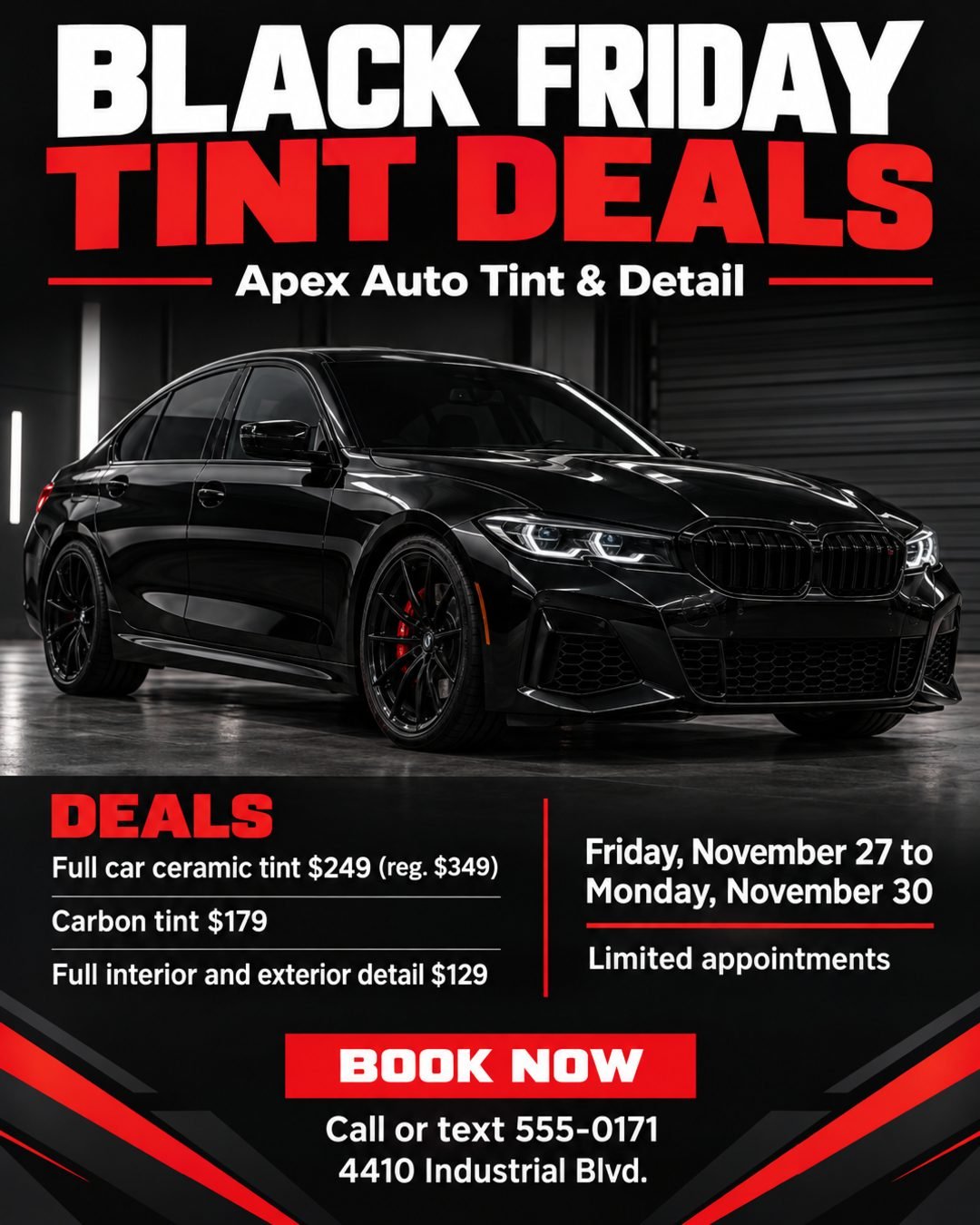 |  |
Service business sale (auto tint shop, 4:5)
Create a premium, modern Black Friday flyer for a window tinting and detailing shop. The design should feel sleek, high-end, aggressive, and professional, using a dark automotive aesthetic with black, charcoal, and red accents.

Main headline: BLACK FRIDAY TINT DEALS
Shop name: Apex Auto Tint & Detail

Feature a dramatic, high-quality photo of a dark sports sedan with tinted windows.

Deals:
• Full car ceramic tint $249 (reg. $349)
• Carbon tint $179
• Full interior and exterior detail $129

Friday, November 27 to Monday, November 30. Limited appointments.
Call or text 555-0171 to book. 4410 Industrial Blvd.
Written like a brief to a designer, including the photo it wants. Make it yours: if you have a photo of your own work, upload it and replace that line with "Use my photo of a recent job."
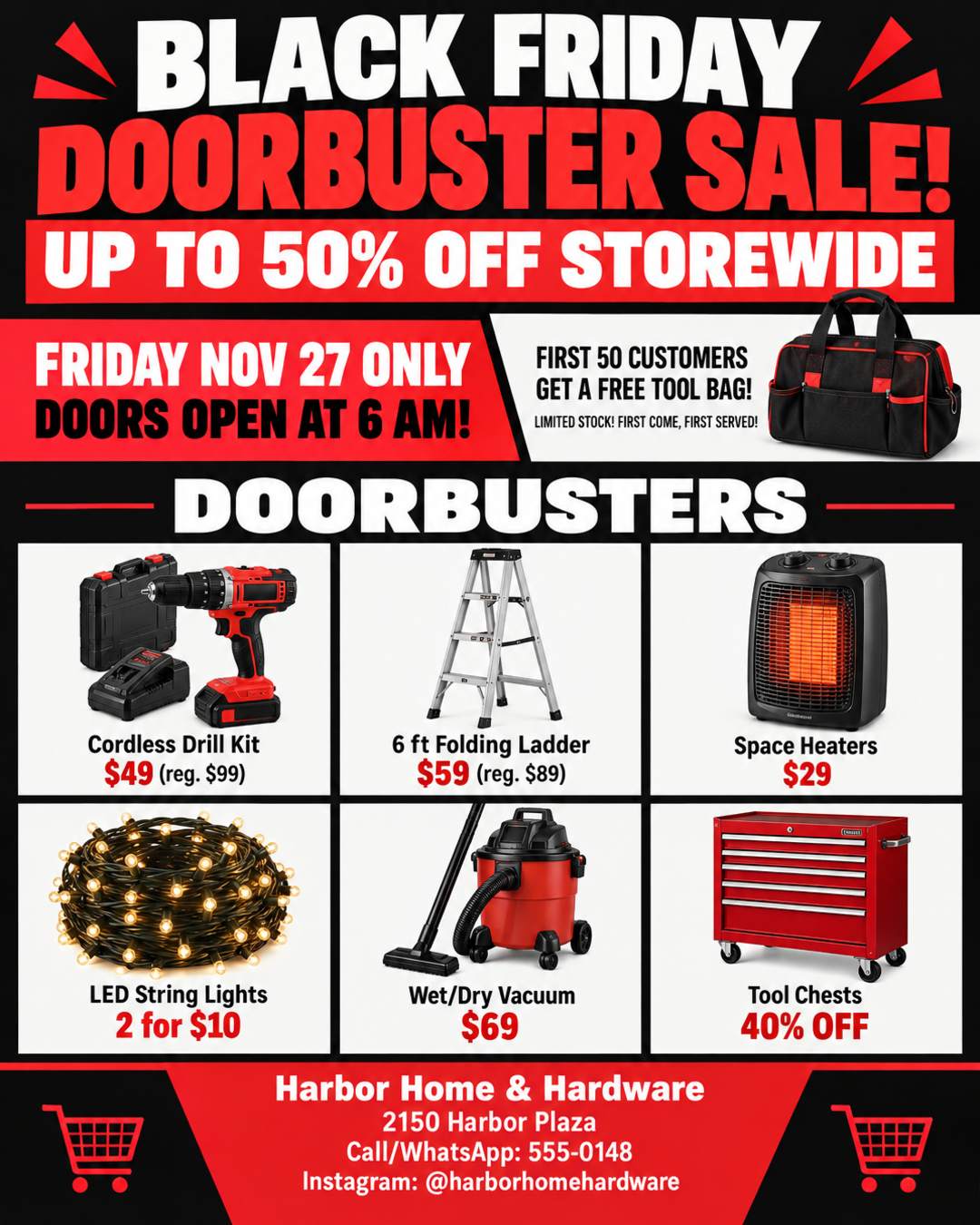
Store-wide sale (hardware store, 4:5)
BLACK FRIDAY DOORBUSTER SALE!, FRIDAY NOV 27 ONLY, DOORS OPEN AT 6 AM!, Harbor Home & Hardware, UP TO 50% OFF STOREWIDE, DOORBUSTERS: Cordless Drill Kit $49 (reg. $99), 6 ft Folding Ladder $59 (reg. $89), Space Heaters $29, LED String Lights 2 for $10, Wet/Dry Vacuum $69, Tool Chests 40% OFF, FIRST 50 CUSTOMERS GET A FREE TOOL BAG!, LIMITED STOCK! FIRST COME, FIRST SERVED!, LOCATION: 2150 Harbor Plaza, Call/WhatsApp: 555-0148, Instagram: @harborhomehardware
Everything in one comma-separated run, and the AI still sorted it into a headline, a product grid and a footer. Make it yours: keep it to about six products. Each extra item makes all the others smaller.
Parties and Invitations
| Pool party | Dinner invitation |
|---|---|
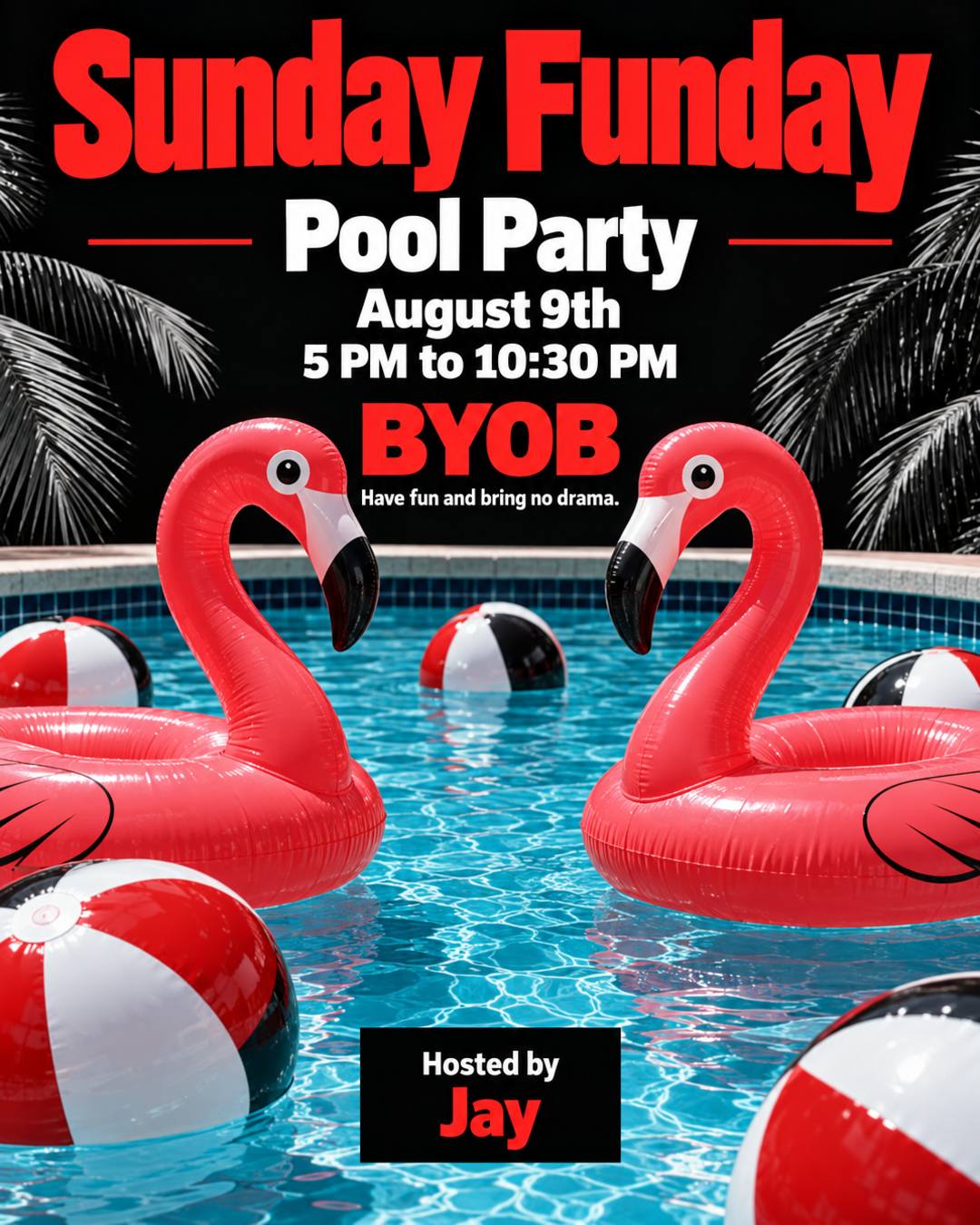 |  |
Pool party (4:5)
August 9th pool party hosted by "Jay". Sunday Funday from 5 PM to 10:30 PM. "Sunday Funday" in red bold letters, black as the main color and red as the secondary color, pool background, beach balls and flamingos. "BYOB" in red bold letters. Have fun and bring no drama.
It gives each color a job and names exactly what to picture. Make it yours: there's no address, so add one, or "DM for the address" if it's at a private home.
Dinner invitation (4:5)
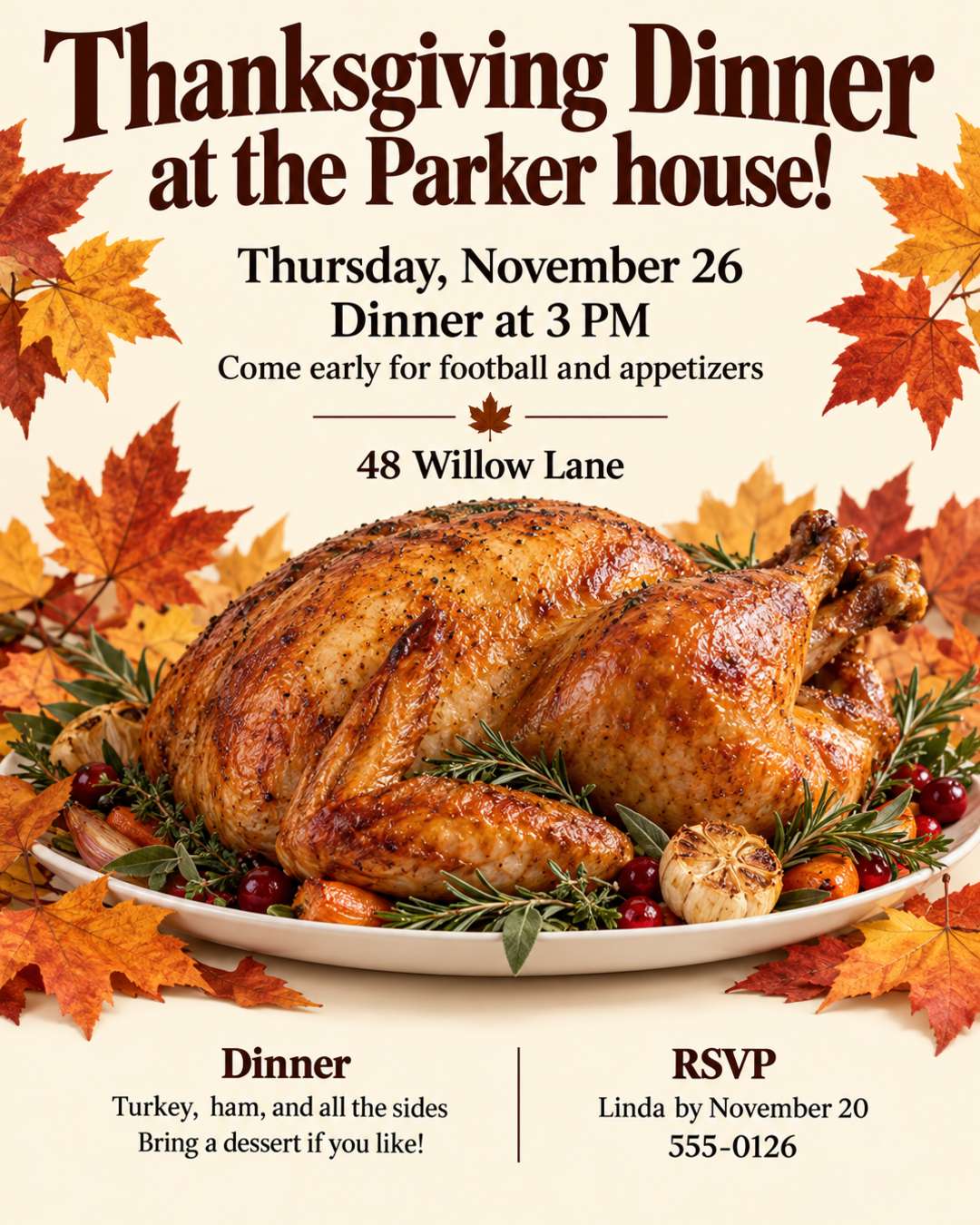
You're invited to Thanksgiving dinner at the Parker house!
Thursday, November 26
Dinner at 3 PM, come early for football and appetizers
48 Willow Lane
Turkey, ham, and all the sides. Bring a dessert if you like!
RSVP to Linda by November 20: 555-0126
Warm and cozy, cream background with fall leaves.
Swap the occasion and the style line and it works for any dinner party. Notice that the AI shortened the first line into the headline "Thanksgiving Dinner at the Parker house!" If you want a line printed word for word, put it in quotes.
With Your Logo or Photo
| Office event with a logo | Store event with a storefront photo |
|---|---|
 |  |
Office event with your logo (4:5, logo uploaded)
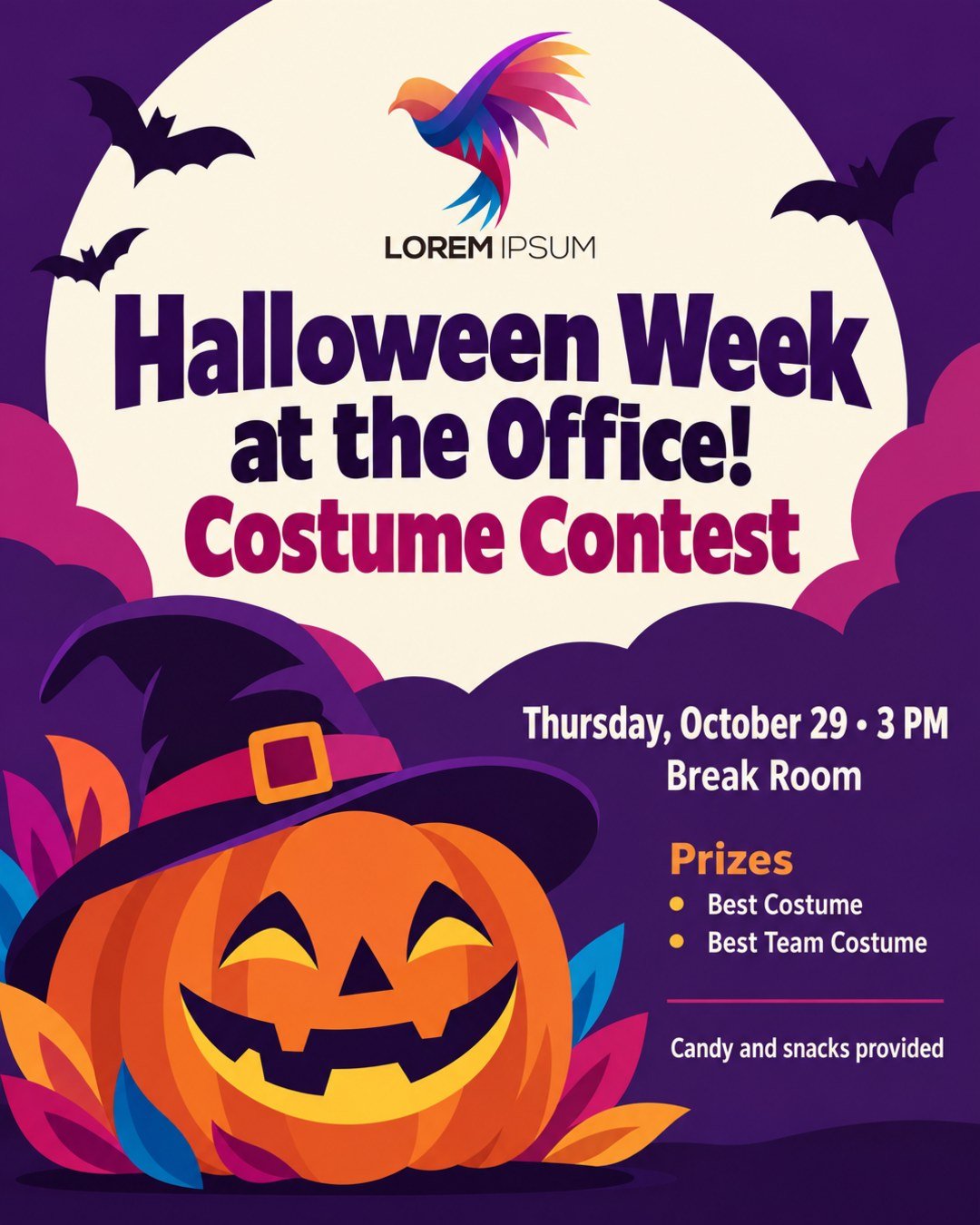
Halloween week at the office! Costume contest on Thursday, October 29 at 3 PM in the break room. Prizes for best costume and best team costume. Candy and snacks provided. Put our company logo at the top and don't change it.
"At the top" says where the logo goes, and "don't change it" says how to treat it. Make it yours: add a style line such as "fun but office-appropriate".
Store event with a storefront photo (4:5, storefront photo uploaded)
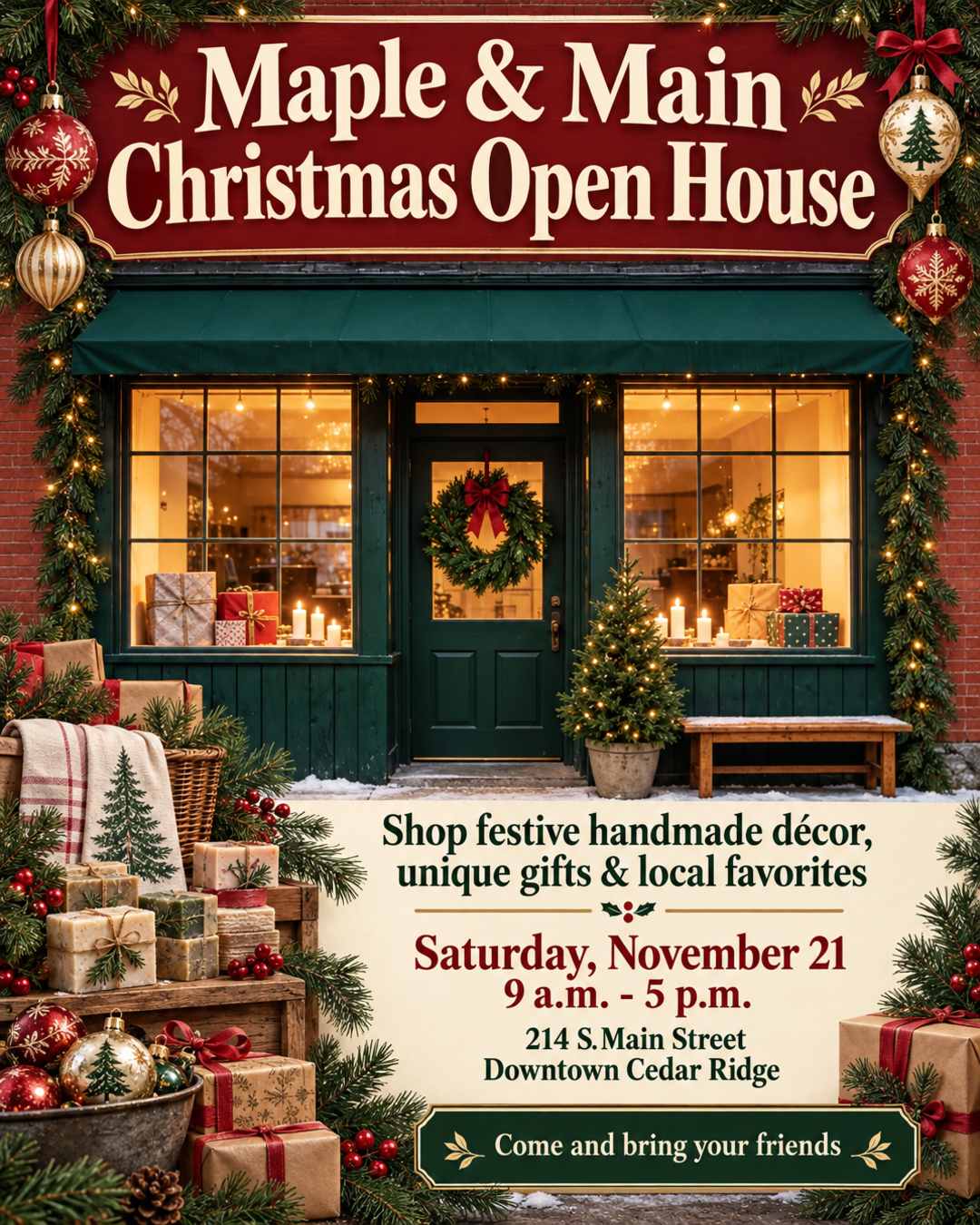
Create a festive Christmas Open House flyer for Maple & Main, a historic gift shop on Main Street in downtown Cedar Ridge. Use the photo of our storefront.

Headline: Maple & Main Christmas Open House
Subhead: Shop festive handmade décor, unique gifts & local favorites

Event details (must be clearly readable):
Saturday, November 21
9 a.m. - 5 p.m.
214 S. Main Street
Downtown Cedar Ridge

Invite line: Come and bring your friends

Featured finds to hint at in the design (do not list as a long menu): ornaments, wreaths, candles, tea towels, handmade soaps, local gifts.

Style: Warm, charming small-town Christmas. Historic storefront feel meets cozy holiday boutique. Deep red, forest green, cream, gold, and soft pine. Vintage ornaments, wreaths, and wrapped gifts. Elegant but inviting typography: large headline, easy-to-read date and time. Print-ready, uncluttered layout with plenty of breathing room. Welcoming, handmade, local, and festive, not flashy or modern-corporate.
The most detailed prompt in this guide. Two phrases worth borrowing: "must be clearly readable" on the details that matter most, and "hint at in the design (do not list as a long menu)", which turned a product list into the soaps, tea towels and ornaments around the storefront instead of more text.
For Phone Screens
These two were made at 9:16, the size for Stories, Reels and WhatsApp status.
| Kids' birthday invitation | Takeout menu |
|---|---|
 |  |
Kids' birthday invitation (9:16)
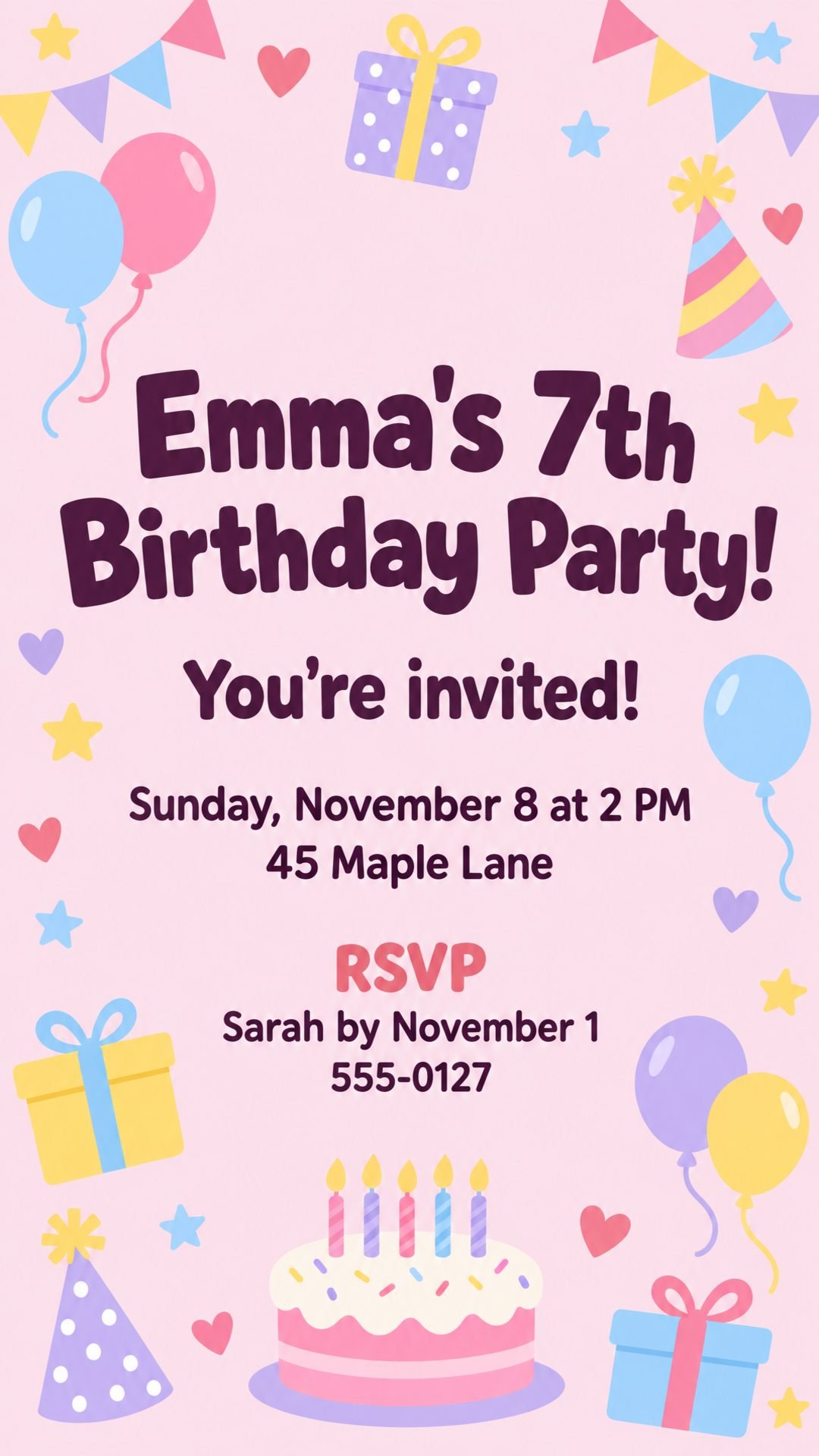
You're invited to Emma's 7th birthday party! Sunday, November 8 at 2 PM. 45 Maple Lane. Please RSVP to Sarah by November 1: 555-0127.
Twenty-four words, no style line, nothing missing. The AI picked a playful look from "7th birthday" alone. Make it yours: add a theme ("dinosaurs", "mermaids") to steer the look.
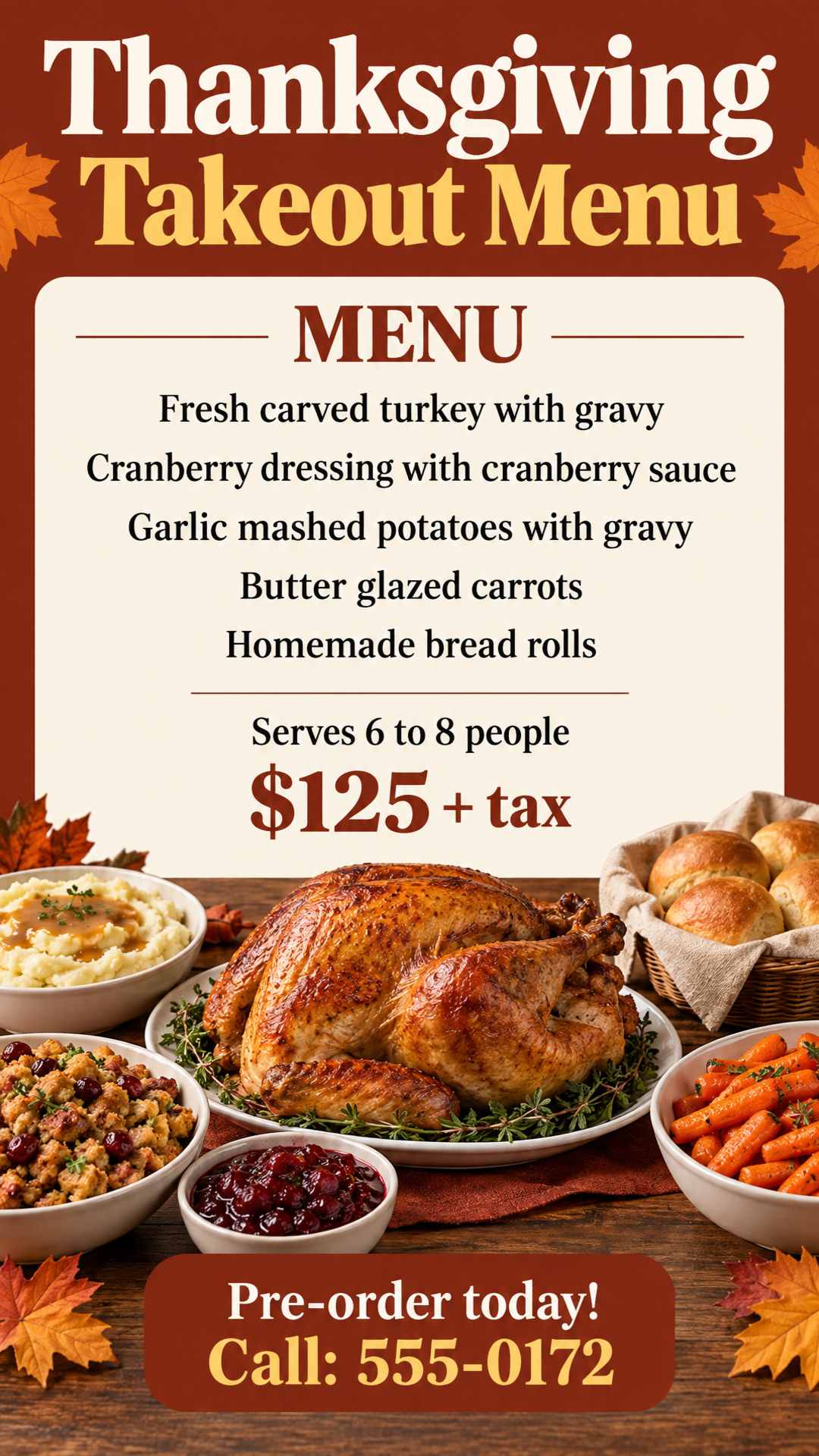
Takeout menu (9:16)
Thanksgiving Takeout Menu. Fresh carved turkey with gravy, cranberry dressing with cranberry sauce, garlic mashed potatoes with gravy, butter glazed carrots and homemade bread rolls. Serves 6 to 8 people. $125 + tax. Pre-order today! Call: 555-0172.
Items, portion size, price, action: that structure works for any menu special. Make it yours: add a pickup date and an order deadline. "Pre-order today!" with no deadline gives people no reason to call this week.
Classes and Lessons
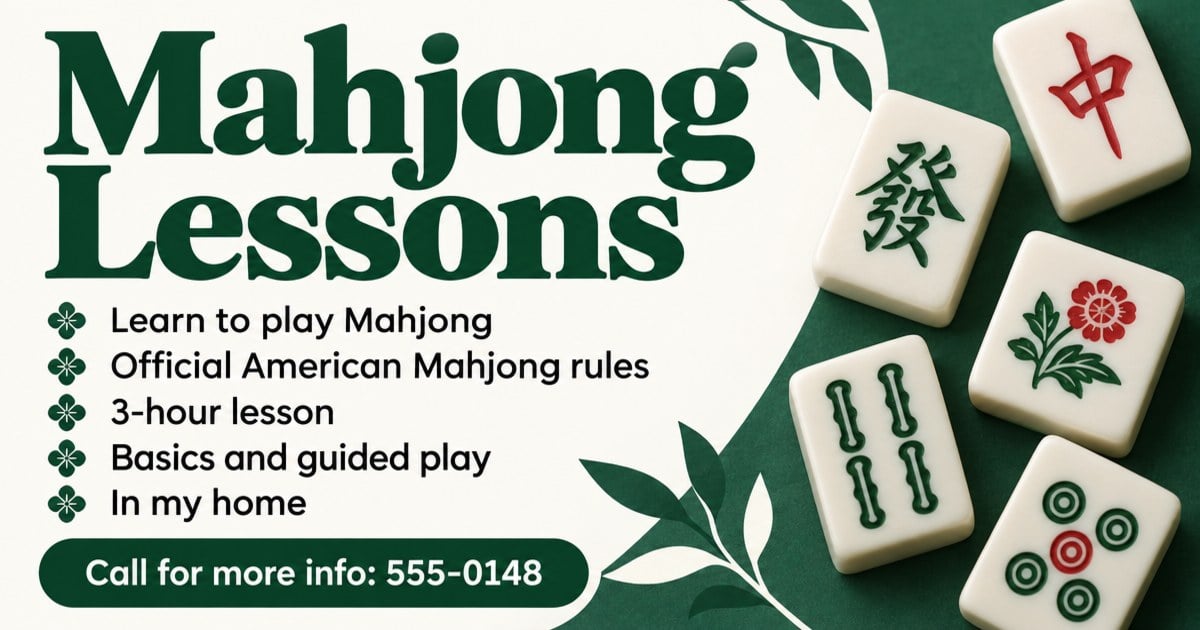
Class or lesson (1.91:1, the size for Facebook events and link previews)
Mahjong lessons. Learn to play Mahjong using official American Mahjong rules. 3-hour lesson with basics and guided play. In my home. Call for more info: 555-0148.
Topic, what you'll learn, how long, where and how to sign up. Make it yours: add the price, the group size and "beginners welcome" if that's true.
That's the method: give the AI every fact in reading order, describe the look in things it can picture, say what each image is for, and change one thing at a time. For the full process from planning to printing, see how to create a flyer using AI.
Looking for a specific occasion? Our Black Friday, Thanksgiving, Christmas, Halloween, party and church flyer pages have more examples like these, and you can load any of their prompts into the generator with one click.
FAQ
How long should an AI flyer prompt be?
Long enough to include every fact and one line about the look. The prompts in this guide run from about 20 to 150 words. A short prompt with all the facts beats a long one full of adjectives. AI Flyer Studio accepts up to 3,000 characters, so you can paste a whole announcement or menu.
Should I put the flyer text in quotes?
Yes, for anything that has to appear word for word, like a headline, a business name or a slogan. In AI Flyer Studio, quoted text is printed exactly as written, while longer descriptive sentences may be shortened to fit the design. To keep every word you wrote, add "Use the exact wording below." Quotes don't guarantee perfect spelling in the finished image, so still proofread.
How do I get AI to spell the text on my flyer correctly?
Use less text and shorter lines, put exact wording in quotes, and double-check names and numbers in your prompt, since they're printed as you type them. Then proofread the finished flyer at full size. If something is wrong, fix it with a one-sentence edit instead of starting over.
Should I include the flyer size in my prompt?
In AI Flyer Studio, no. Pick the size in the size menu and the layout is built for that shape. Sizes typed into the prompt are ignored. In general AI tools like ChatGPT, yes: state the shape at the start, for example "a vertical 4:5 Instagram flyer".
Can I paste a prompt or text written by ChatGPT?
Yes. You can paste a caption, an event description or a full design brief written by another AI tool. AI Flyer Studio separates the text for the flyer from the design instructions. Check the facts before you paste, because chatbots get dates and details wrong too.