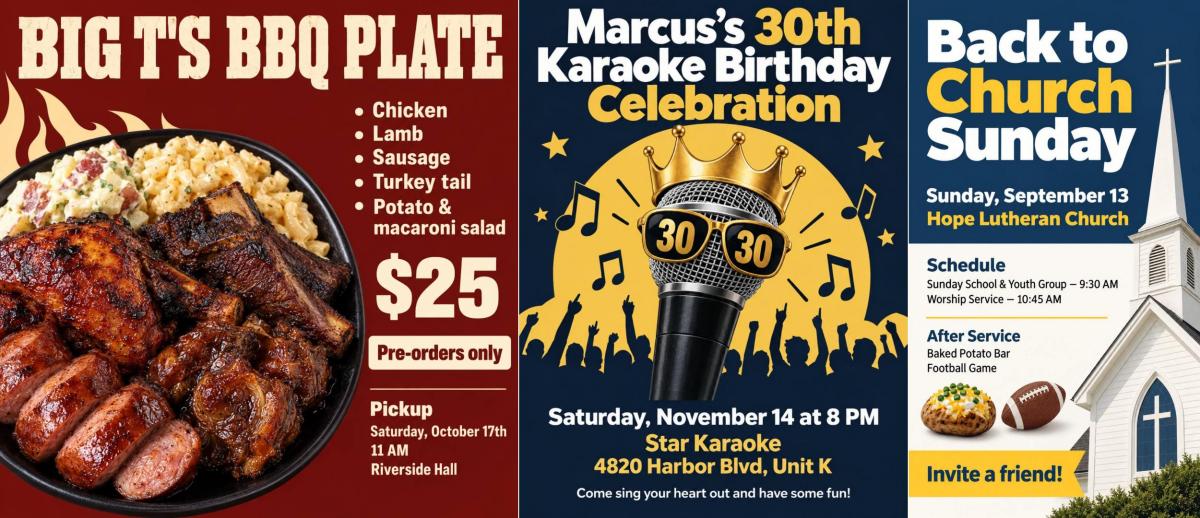

For an everyday event announcement or local offer, start with a flexible sheet around 120 to 150 g/m². Choose a low-glare surface for a text-led church notice, a coated sheet for food photography, or a heavier option when the piece needs to stand up in a display. Test a sample on the equipment that will produce the job.
The right paper for flyers depends on the message, how you will distribute it, and whether readers need to write on it. A cafe discount, class enrollment form, and full-color event program each place different demands on the finished sheet.
Choose a paper type for your campaign
| Use | Starting point | Check before ordering |
| Local event handout | Flexible stock around 120 to 150 g/m² | Text clarity, opacity, and total cost |
| Food or product offer | Image-friendly coated sheet | Glare under the intended lighting |
| Church notice or class schedule | Low-glare sheet with clear contrast | Readability at the intended distance |
| Form or write-in coupon | Uncoated surface | The actual pen or pencil readers will use |
| Counter display | Stiffer stock around 200 to 250 g/m² | Display fit and equipment limits |
| Outdoor announcement | Sheltered placement or suitable weather-resistant material | Water exposure, mounting, and disposal guidance |
These ranges are starting points for comparison. Surface treatment, thickness, stiffness, and opacity vary between products. Ask for a physical sample when appearance or handling matters, especially for a large order.
A standard flyer can work on regular paper when the information is clear and the sheet suits its purpose. Spending more on stock makes sense when it improves the result the audience needs, such as a readable schedule, a durable counter piece, or a well-reproduced photo.
Paper weight and finish affect the result
Stock mass is often listed in pounds in North America and in gsm, meaning grams per square meter, elsewhere. Pound values use different basis sheet sizes for bond, text, and cover grades. Always compare the grade as well as the number.
| Label example | Approximate mass | Practical consideration |
| 32lb bond | 120 g/m² | Flexible office stock can suit clear, everyday announcements |
| 80lb text | 118 g/m² | Similar mass to the option above, with product-specific surface properties |
| 100lb gloss text | 148 g/m² | Flexible coated option for image-led work |
| 110lb cover | About 298 g/m² | Stiff material that requires a suitable feed path |
Values are rounded examples. A higher pound number on another grade can describe a lighter sheet. Request the supplier’s mass and caliper, which measures thickness, before comparing stocks for the same job. Card stock and cover stock are useful shopping categories, but the exact product specification determines how a sheet feeds and folds.
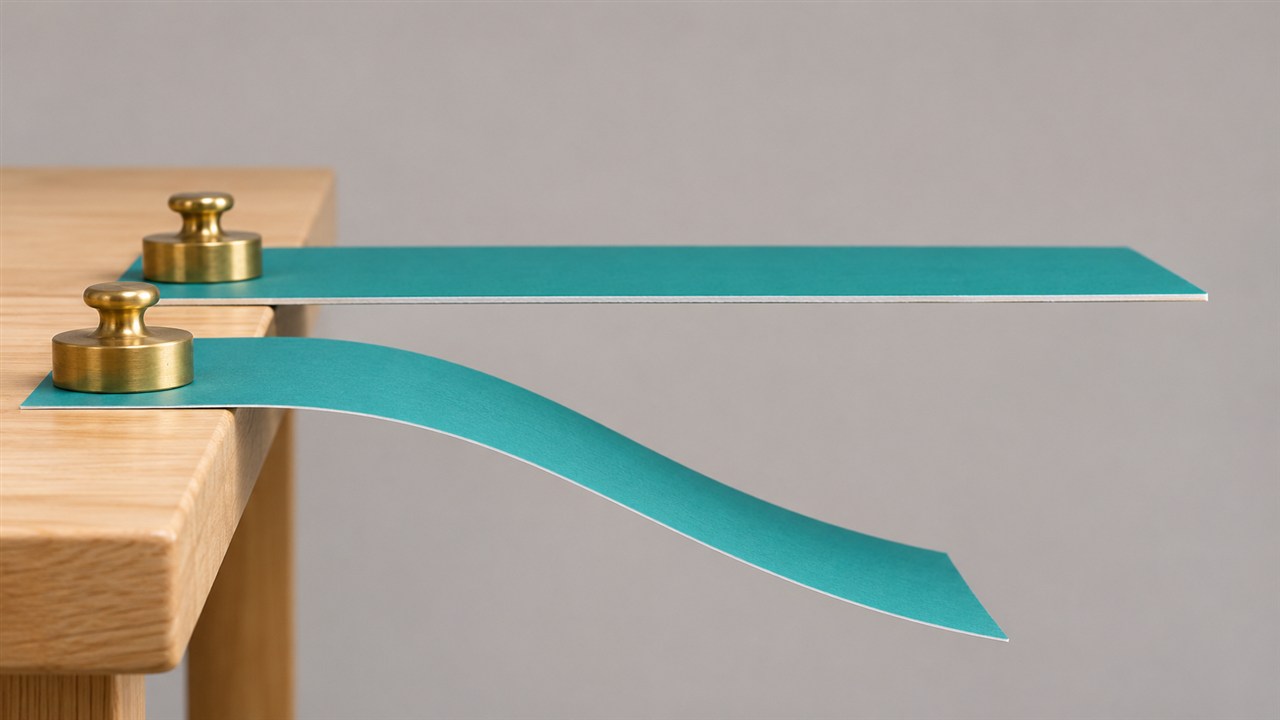
Print supplier comparison of text and cover weights
Glossy coated sheets for image-led offers
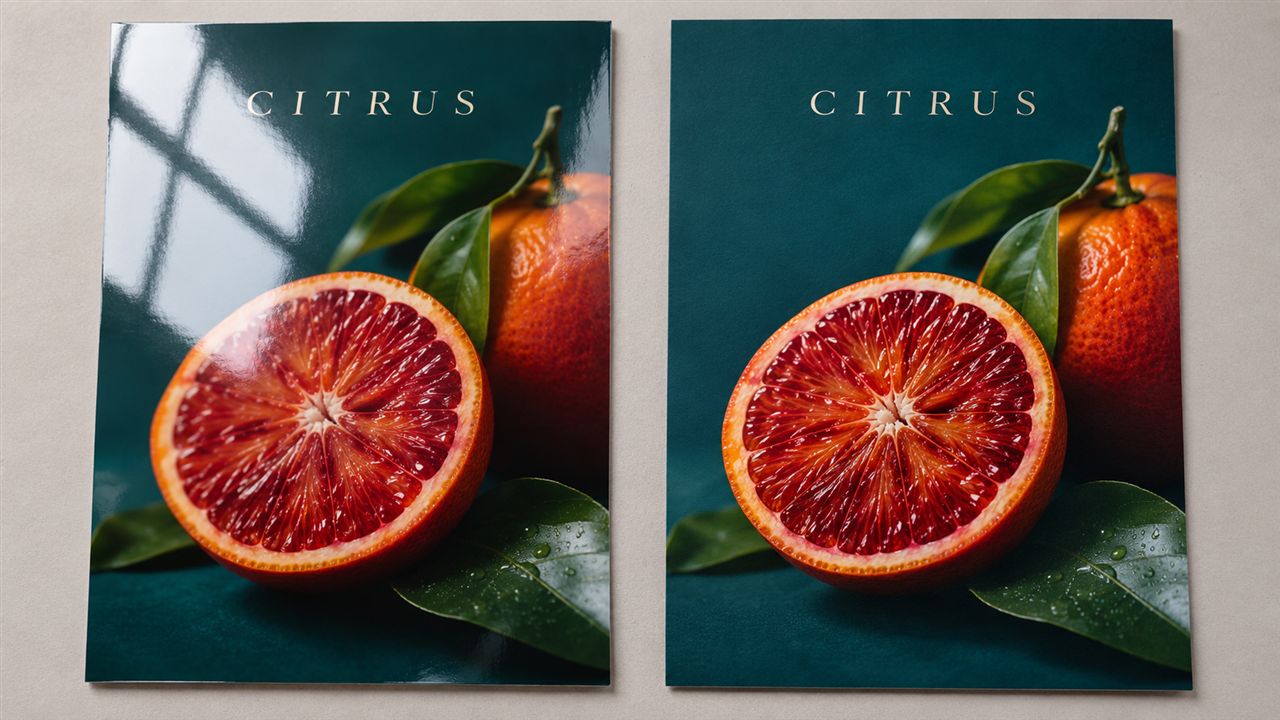
A glossy finish can suit a drink launch, retail offer, or product photograph. The reflective surface may cause glare under strong lighting, so view the sample where people will read it. A clear headline and a large offer help the image support the message.
Matte paper and writable surfaces
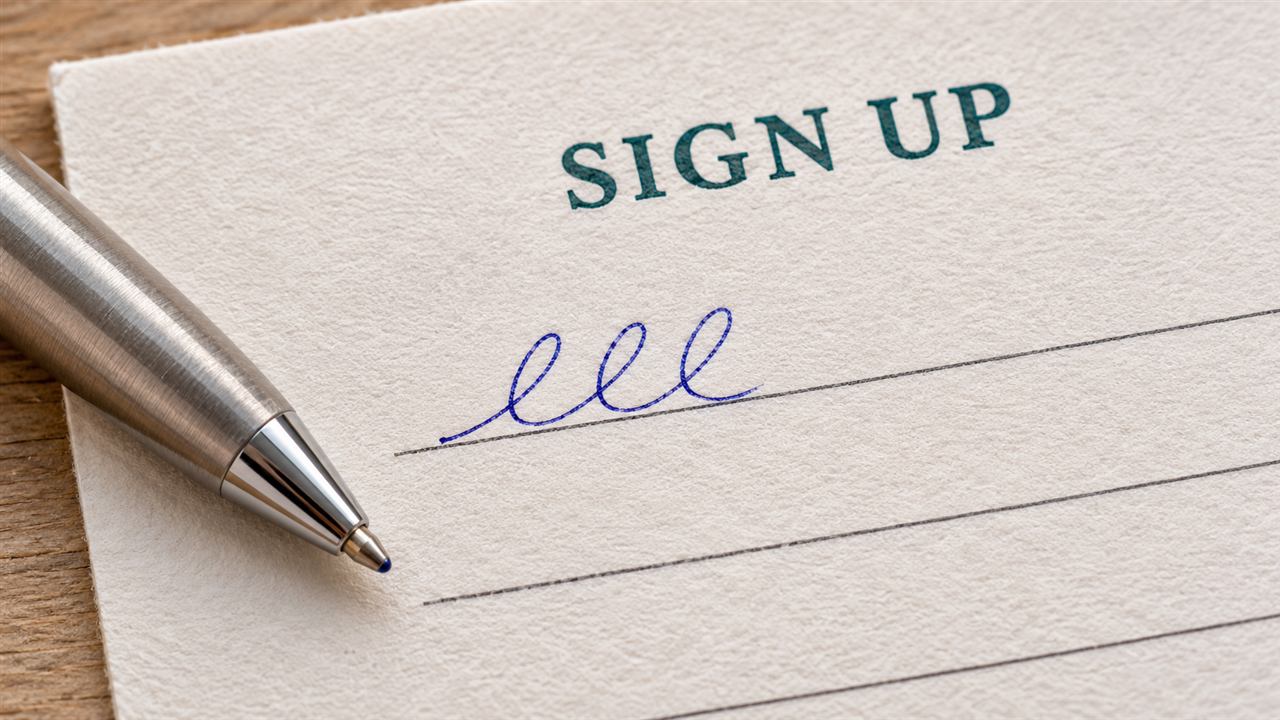
A low-glare finish is useful for schedules and longer announcements. Uncoated paper is often a good starting point for registration details or handwritten notes. Coated matte presentation products can behave differently with pens, so test the actual sheet before treating it as a write-in form.
For a workshop signup, check whether a ballpoint dries cleanly. For a church program, check dark text on the sheet’s base color. A glossy brochure may suit photography, while a write-in response panel benefits from a surface tested for that purpose.
Think about durability and sourcing
A reflective coating alone does not establish weather resistance. For a damp location, ask about suitable material or sheltered display. If sourcing matters, check the actual FSC certified label and any recycled-content claim on the selected product. Confirm local recycling guidance for coated or laminated pieces.
Match printing paper to your printer
When printing flyers at home, check the supported media, coating, thickness, and feed path in the device manual. The maximum weight for automatic two-sided output can be lower than the limit for a manual or rear tray. Buy a small quantity for testing before committing to a large pack.
Inkjet printers need a compatible coating
Inkjet paper is formulated to receive liquid ink. Select media approved for the equipment and for the ink system in use. An inkjet photo setting changes how the device applies ink, so match the setting to the sheet. Check dye ink or pigment compatibility in the manufacturer’s instructions.
Photo stock can suit a photo-heavy promotion, but the printable surface and supported feed settings matter. Some products have a coating on only one face. Follow the drying instructions before stacking or feeding a sheet through again.
A laser printer needs rated media
Toner-based equipment uses heat during production. Choose stock approved for the specific device and its media path. A product page saying “perfect for color laser printing” is a marketing description to check against its technical specification and your equipment manual.
For example, HP Professional Business paper with product code 4WN10A is listed by HP as a 200 g/m² laser-compatible product supplied in a 150-sheet pack. Check the exact code and regional specifications when comparing products with similar names.
HP product specifications and compatibility
Check double-sided printing on the actual stock
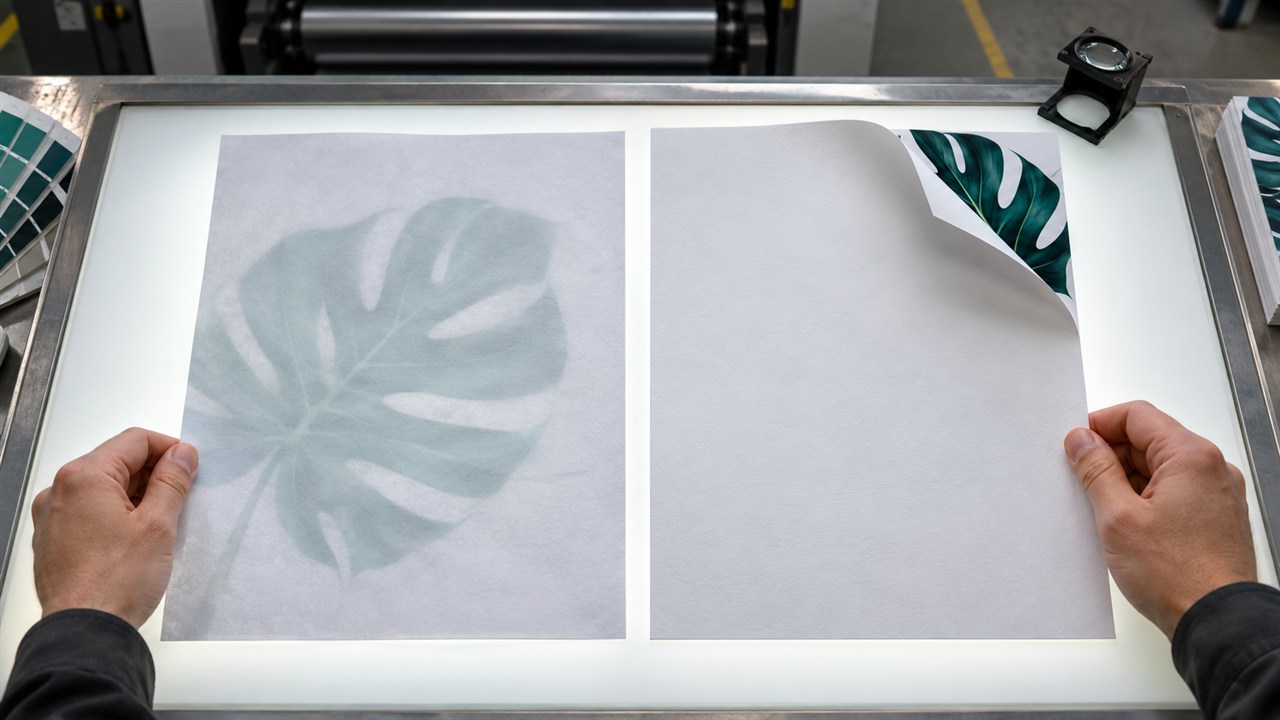
Confirm that both surfaces support your print method. Test the front and reverse alignment, show-through, and drying time. For manual duplex work, mark a test sheet so you can see how the machine feeds and flips it. Epson’s support guidance also warns that dense images can mark during a second pass on some media.
Epson guidance on smearing and second-side output
For single-sided flyers displayed on a board or in a window, a blank reverse is often sufficient. Use the back when it adds a schedule, menu, map, or second language. Keep essential event and contact details on the face readers see first.
Read paper labels before buying
Product listings often combine the finish, dimensions, weight, and pack quantity in one long name. Read these fields separately. The examples below explain search terms you may encounter while shopping, so you can compare the actual specifications.
| Listing language | What to check |
| paper 8.5 x 11 inches or 8.5x11 | US Letter sheet dimensions. Confirm the cut format needed for your artwork. |
| glossy double sided brochure paper | Coating and print-method approval on both faces. Check whether automatic duplex use is supported. |
| double sided glossy photo paper | The same media checks apply. Photo coatings can have different drying and handling instructions. |
| glossy paper or glossy cardstock | Reflective surface plus the actual grade, mass, and thickness. The surface description alone cannot establish stiffness. |
| glossy business media | Exact product code and device compatibility. Similar names can refer to different coatings. |
| digital C2S paper | C2S means coated on two sides. Confirm approval for the press or device producing the job. |
| 37lb 140gsm | The listed mass is 140 g/m². Ask which basis-weight grade the pound value describes. |
| instant dry | Handling instructions for the actual ink and image coverage. Test before stacking. |
| 50 sheets or 100 sheets | Pack quantity. For manual output on both faces, allow sheets for setup and proofing. |
| 200 sheets or a ream | Check the stated quantity in the package. A standard office pack often contains 500 sheets, with exceptions. |
Office Depot and other suppliers carry multiple brands and media grades. Use the manufacturer’s technical sheet to confirm the listing. Hammermill’s Premium Color Copy specifications, for example, include a 32-pound option at 120 g/m², suitable for color-intensive documents on compatible equipment.
Manufacturer specification sheet for color copy stock
Compare the finished cost per usable piece. A low pack price can lose its advantage if the stock feeds poorly, requires extra drying time, or leaves too many proofs unsuitable for distribution.
Custom flyer printing starts with a clear brief
When you print custom flyers, specify the finished dimensions, stock, surface, quantity, number of printed faces, and required delivery date. Request samples and ask whether cutting, folding, a proof, and shipping are included. Compare the full order cost for business marketing materials.
Flyer printing services can handle jobs that need trimming, larger quantities, or specialty media. Ask what “fast turnaround” includes and whether shipping time is additional. If the deadline is close, approve the proof and delivery arrangements before placing the full order.
Design and print with AI Flyer Studio
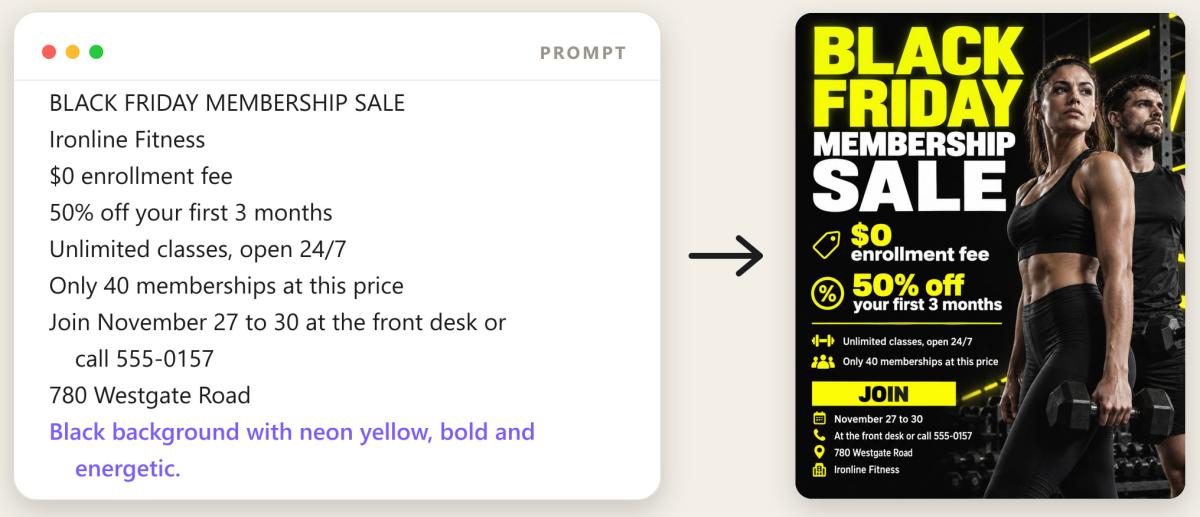
AI Flyer Studio helps you create a flyer design from an announcement, offer, or short description. Add your photos and logo, choose a print format, and generate the artwork. Download the PNG and compare its dimensions and bleed with the print provider’s requirements. PDF export is currently unavailable.
For a cafe, include the dish, price, and ordering time. For a church event, prioritize the service details and speaker. For class enrollment, make the start date, fee, and response method easy to find. Review names, dates, and phone numbers before ordering physical copies.
When you print flyers online, look for the option to upload your own design. Upload your design after checking the accepted format and proof preview. If PDF is required, ask the provider how to submit or prepare your PNG. A print-ready file must meet that provider’s specification.
Questions before you order
What is the best flyer size for a local event
Choose the dimensions after drafting the essential information. A full sheet suits a detailed schedule, while a smaller format can carry a focused offer. An effective piece fits its distribution method and remains readable at the intended viewing distance.
Can I use a flyer template for business flyers
Yes. Check the template dimensions, text, and output against the production requirements. Keep brand colors and logo files consistent with related business cards or signage, and approve a proof on the actual stock because surfaces reproduce color differently.
What should I check on the final proof
Read the text at actual size, scan any QR code, and confirm the address and contact details. Check both faces for marks and show-through. View photographs under the lighting where people will read the piece. Approve a physical sample when color or surface feel is important.